


Editor's review
This tool lets you export data from Excel to PowerPoint slides.
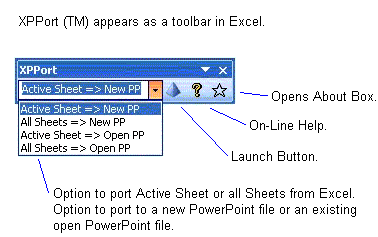
XPPort ports Excel data to PowerPoint. It`s an Excel Add-In. It adds controls to the MS Excel program and lets you manipulate spreadsheets you load or create. This tool is able to auto-sizes your data in PowerPoint. It will also add titles to the slides based on Excel header data. When the export process is started this utility will export data to a new slide when it detects a page break in the Excel sheet. The order of the slides can be controlled through Excel`s Page Setup commands such as, "Down, then over" or "Over, then down", etc. You can append the new slides to an already open presentation. It can also start a new presentation. Whether you export the active sheet or all the sheets is another option. Area of the slide master defined for presentation will be used by the Excel for fitting the table of data in the sheet.Options are available for table symmetry. These can be arranged as touch the top, and bottom and center horizontally, or touch the left and right, and center vertically based on the width to height ratio. Naming is also managed by the tool. The organizational version adds the company logo too. Combination of the tools lets you take advantage of the tools easily. Data entry, analysis and chart/graphs are the strengths obtained from Excel and then they can be taken to the slides for a nice presentation. This is a very good product. If you are looking for a similar solution, you should try it in your exact workflow.
User comments