


Editor's review
This is a software tool that recognized characters from screenshot images.
Snapshot Character OCR is a one click application that can recognize many kinds of different languages characters displayed on PC screen. When recognized, the character is saved as computer text. Snapshot Character Reader lets you define a capture area quite easily. This is a rectangular area that is defined by left click and then drawing the capture box by simple dragging of the mouse. A tool to define any arbitrary area would have been really useful as you can extract parts of a paragraph through it. Font images this tool can recognize can be in any of the languages English, French, German, Italian, Spanish and Portuguese, Basque and so on. This is compatible with Windows 2000 or late, both 32bit and 64 bit versions. The tool will help you download the required language version, as needed.
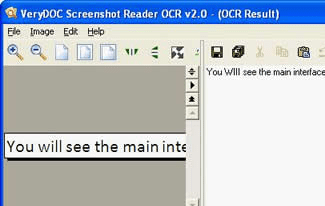
The interface is simple and initially presents a small opening screen that has only three buttons on it. One is the “capture” button, the next one is “history” and then the standard “about” button. Once the capture is chosen, you can define the capture area with a mouse. On this same screen you choose the language too. On the OCR page you get a preview of the image captured side by side with an area that displays the recognized text. The “history” function that shows you what were interpreted earlier, you would be able to make out parts of the unrecognized characters too. There are many variables, other than the font use to make success rates high. It, thus, makes good sense to try out the tool in your work flow to determine what kind of success rates you can expect.
User comments