
 |
 |
|
|
 |
 |
 |
 |
|
|
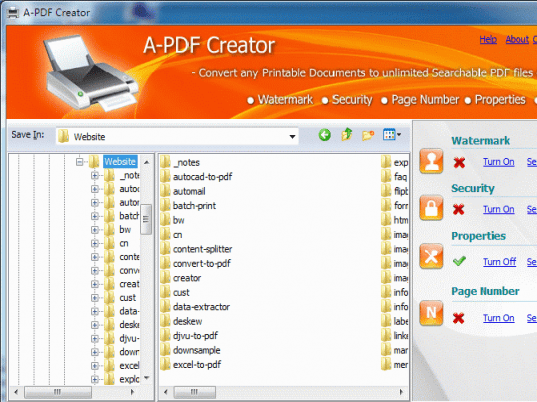
A-PDF Creator is a PDF virtual printer for Windows that allows you to create PDF files easily. With A-PDF creator; everyone can create professional-quality PDF documents by simply selecting the "Print" command from virtually printer (A-PDF Creator) in any application
Once installed, this PDF creator lets you: Easily add Document information, security, stamps\watermarks, headers and footers and much more! A-PDF Creator not only simplifies your business document processing and publishing, but also saves ink, paper and time by controlling and enhancing printed output.
A-PDF Creator converts any printable file into a PDF file. Its purpose is to enable users to exchange electronic documents easily, independently of the environment in which they were initially created. It also helps companies to publish reports, marketing plans, price lists, contracts, and any other documents in a portable electronic document format.
Key Feature
Install as a printer driver: A-PDF Creator appear in the Printer & Fax folder as "A-PDF Creator", so you can print from your application as you would print to a standard printer.
Easy to use: No need to learn a complex program. Just select the "A-PDF Creator" Printer and click OK.
Support any type of printable windows documents: including DOC, DOCX, PPT, PPTX, XLS, XLSX, PUB, DWG, HTML, MHTML and TXT etc.
Support PDF Security. PDF files can be password protected to control whether the PDF can be viewed, printed, modified, copied or annotated. 40-bit and 128-bit encryption levels are supported. For example, you can protect the PDF so that readers cannot copy the text from it. (Set files permissions to restrict printing, copying, and future modifications to the document)
Support PDF Watermark: Using A-PDF creator you can stamp\watermark a PDF with custom text or an image and apply transparency, rotation, opacity, color variation or other effects.
|
|
Editor review: Reviewer, 2009-10-09 07:15:00
A PDF creator is a printer driver; it allows you to create professional quality PDF documents by simply using "Print" option. You can publish your reports, marketing plans, price lists, contracts, and any other documents in a PDF format. It works without Acrobat Reader or Writer.
Features: You can easily create PDF file for your document using A-PDF creator. Open your document and select print option, from the printer list select A-PDF printer and save document in PDF form. Using properties option, you can perform setting for your PDF file. In layout option set page orientation and page order. PDF creator advance option document setting allows you to set paper size from the drop down list of available size, Graphics option allow you to set print quality in DPI, Set image color management using ICM method and ICM intent, define scale, set true type font. With document option set advance printing features.
Publisher claims that PDF files can be password protected to control whether the PDF can be viewed, printed, modified, copied or annotated. 40-bit and 128-bit encryption levels are supported. Set files permissions to restrict printing, copying, and future modifications to the document. Using A-PDF creator you can stamp / watermark a PDF with custom text or an image and apply transparency, rotation, opacity, color variation or other effects. You can send generated PDF automatically via email.
Overall: It is a nice tool to convert any printable document to PDF files. Anyone can effectively use this utility.
|
 |
 |
Visit homepage of A-PDF Creator
Download A-PDF Creator 2.0
Popular search terms related to A-PDF Creator:
dwg, virtual com driver, xls, easy cd creator, doc, restrict, driver, publishing, marketing, publish
|

fax exchange doc to image fax virtual fax and exchange fax driver copy fax pdf print driver best pdf printer driver pdf printer driver print to file driver

Programs related to A-PDF Creator
|