
Free Downloads Center
e.g. PDF Page Extractor 3.0

Latest Reviews

Asterix and the Great Rescue

Asterix and the Great Rescue
Asterix and the Great Rescue is a fun and fanciful game suitable to all ages with an addictive game-play.

Proposalsmartz Proposal Writing Software

Proposalsmartz Proposal Writing Software
Proposalsmartz Proposal Writing Software is an handy application that allows you to work about smartly with your business proposals and documents.

Subscribe

PDF Page Extractor 3.0 Download

Editor's rating  
Users' rating   (1 votes) Rate it!
License Shareware / $29.9
Downloads 232
Publisher verypdf.com Inc
File size 2216K
Date added 24-Oct-2009
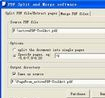
PDF Page Extractor screenshot

Enlarge screenshot

Publisher's description
Editor's review
Submit your review

PDF Page Extractor is a stand-alone application that can be used to split, merge, and manage your PDF files, PDF Split- Merge is offered as an easy to use GUI application, and a command line application. PDF Page Extractor is used to split files by pages, you can split the file into single pages or save every a few pages as a new file, it also can be used to merge multiple PDF files or selected pages from one or more files into a PDF file, preservation of original links, and form fields.
PDF Page Extractor software is a standalone program and does not require Adobe Acrobat, or even Acrobat Reader.
PDF Page Extractor Features:
1. PDF Page Extractor is a standalone software, Adobe Acrobat and Reader NOT required!
2. Merge multiple PDF files or selected pages from one or more files into a PDF file;
3. Generate a new PDF file by merging one or more PDF documents;
4. Assemble new files by appending pages to existing documents;
5. Split PDF documents by page numbers or by even, odd or custom page ranges etc;
6. Split by page ranges(split pages, page ranges, odd/even pages);
7. Split a file into single pages or sets of pages;
8. Supports Command Line Operation;
9. Merge from text file, a text file which contains file names to be merged, one file name per line;
10. Split into n pages(into files which containing n pages per file);
11. Reverse or rearrange pages in a document;
12. Retain links (update links, bookmarks and destinations in merged PDF files);
13. PDF Page Extractor supports preserve all kinds of annotations;
14. PDF Page Extractor supports split PDF documents by bookmarks;
15. PDF Page Extractor extracts all or individual chapters according to bookmarks;
16. PDF Page Extractor supports server environment;
17. PDF Page Extractor supports to enable or disable bookmarks and AcroForms within processing;
18. PDF Page Extractor supports "owner" password protected PDF files;

Editor review: Reviewer, 2009-11-23 12:44:00

PDF Page Extractor is used to split files by pages, you can split the file into single pages or save every few pages as a new file, it also can be used to merge multiple PDF files or selected pages from one or more files into a PDF file.

Features: PDF Page Extractor is a stand-alone application for manipulating PDF files. This can help you with splitting and merging of PDF files that can help make new PDF documents from older documents quite easy. It has an easy to use GUI to help you with the tasks. The software is also available in a command line version, so that you could integrate the functionalities into an application of your own. It is a standalone application that does not require any of the Adobe Acrobat tools to deliver its features. It is also a batch converter application and offers the drag & drop ease of getting files converted easily at a time.

Splitting of a document page by page or a few pages into one file is available. Split the documents by odd or even numbered pages, page ranges. Merging too offers several options. These include merging multiple documents, selected pages from different documents, It also can be used to merge multiple PDF files or selected pages from one or more files into a PDF file, preservation of original links, and form fields. You can append pages to an existing document to create a new one. Rearrange or even reverse the page order to get to a new document. You can use book mark based splitting also. The tool is able to retain the links, bookmarks etc.

Overall: A nice tool to manage PDF file making.

Visit homepage of PDF Page Extractor

Download PDF Page Extractor 3.0


split join files
split files join
join and split
join ts file
file splitter join
join merge
merge join
split and join file
join split file
how to join split files

Programs related to PDF Page Extractor

Copyright © 2001-2009, Free Downloads Center.