


Editor's review
Owing to its easy operability as well as user-friendly interface, most web developers prefer to store data in CSV format file. But when it comes to transferring data from CSV files to your MySQL database, users generally experience loads of troubles in recording data again and again by repetitive copy-pasting tasks. However, you can save your valuable time by using an apt application for performing the task. Considering the requirement, you can try TxtToMy 1.0 that supports importing your CSV file data into MySQL by making fewer selections. It facilitates running SQL command with the feature to help users to view the importing results. The utility allows exporting memo along with blob field. It can be beneficial for the database administrators in quickly recording data with CSV files followed by importing it in MySQL conveniently.
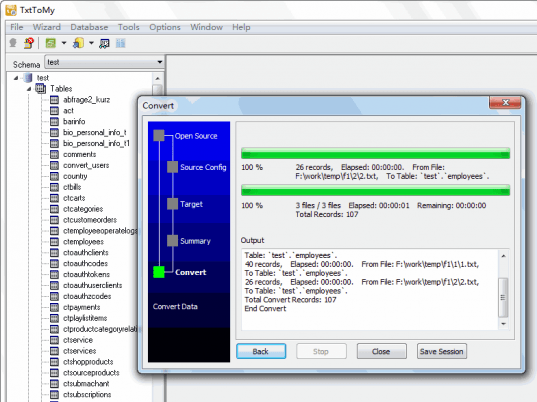
The TxtToMy on launch displays a wizard-styled console. To start with you will get the Logon dialog box to set features for connecting with MySQL, such as Saved Connections, MySQL host address, Username, Password, Port, Database, and press Connect. Connecting to it, the program would place the main workplace of the program in front of the user. Now, beginning to import data, either you can import CSV file or import from folder to carry out the data transfer task. Importing data requires you to select data file after which its containing data would be displayed the selection field. Further, you can choose schema and table, while viewing data and count. Next step is to configure fields, by setting delimiter, quoted by, column count, etc features, in addition to which you can select field, type and NULLIF data. The last step is to choose data loading options that contain features to load rows, type, skip rows, and errors to allow, which is followed by pressing Load option and then ‘Save to Sql’ for completing the data transfer.
TxtToMy 1.0 competently serves you by transferring the CSV file data into MySQL with effortless ease. The tool deserves to be rated with 3.5 points for its rich feature set and overall credible performance.
User comments