


Editor's review
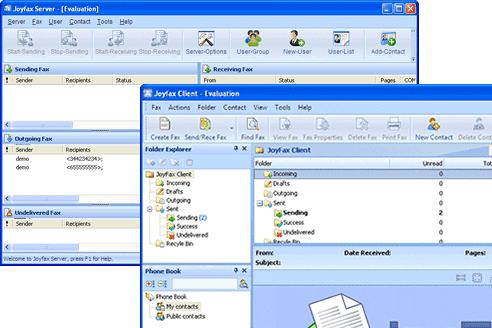
Joy fax Server is a client/server-based application that allows you to directly send fax from desktop or through other business applications such as OA, CRM, and ERP and receive fax in any computer easily and in no time.
Pros: The Joy fax Server has been designed as a client/server-based application, which is used for sending and receiving fax efficiently without complications. With the incorporation of Joystick client and Joy fax printer drive – faxing will be quite easy like printing. The client/server architecture of the Joy fax allows you to store all faxes centered on the fax server. The fax server software is very useful for business organizations as it reduces the costs, saves time and improves productivity by allowing users to send, receive and manage faxes right from the desktop to other business applications efficiently and with ease. In addition, Joy fax is very intuitive and user-friendly. The software takes no time in installation and configuration. During installation, the Joy fax server automatically detects and configures the hardware; therefore, once you install the software, it is ready for operation.
Add contacts using the contact manager and share business contact information easily. What’s more – the Joy fax server offers several advanced features such as user-friendly interface; it reduces delivery cost by eliminating the need for paper-based delivery, fax machine maintenance, supply, equipment, labor cost and more. The virtual printer technology offers efficient fax solutions by sending faxes directly from any desktop application: Microsoft Office, Adobe Reader (PDF), AutoCAD, Lotus, etc.
The Joy fax server is accessible from every workplace in the network. With automatic fax forwarding feature – faxes are directly received to the user’s inbox. Moreover, the software comes equipped with perfect security management. As an administrator, you can set up password and protect documents from any unauthorized access.
Cons: No problems noticed in the application.
Overall: The Joy fax server is a smart tool and provides cost-effective fax solutions. It deserves 4 stars.
User comments