


Publisher's description
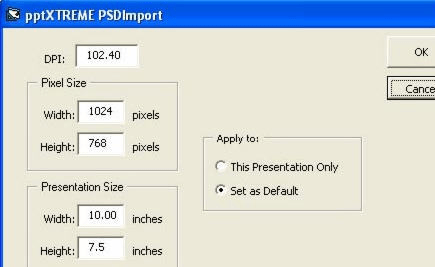
Are your spending too much time converting from Photoshop to PowerPoint? Would you use Photoshop more if the conversion was quicker? With pptXTREME™ Photoshop Import you can automatically import Photoshop layers to PowerPoint objects with size and position kept intact.
pptXTREME Photoshop Import for PowerPoint communicates with both PowerPoint and Photoshop to inorder to get your contents from Photoshop to PowerPoint. It works with both Photoshop 7 and CS, by sending commands through the free Scripting Plugin for Photoshop. This plugin is included by default with Photoshop CS, however with version 7, you must download and install the Scripting Plugin from Adobe (see our website for a link).
For each layer selected, pptXTREME will:
1. Find and save the positioning information.
2. Crop the layer, by ignoring all completely transparant pixels.
3. Export the layer to a PNG file (JPG if it is a background).
4. Import that PNG file into PowerPoint.
5. Using RiteSize™ Photoshop Import will change the size and position of the image to match that of the Photoshop document.
FolderMemory™
pptXTREME saves additional information with the presentations to enable easy use. Each time this tool is used the last folder used for PSD files and Image Importing is saved with the presentation. So next time you use any pptXTREME feature, it will remember where your files are saved.
LinkBedded™
In addition, any image imported to PowerPoint using any pptXTREME, remembers where the file came from. See pptXTREME Import/Export (www.pptXTREME.com/import_export.asp), for more information on how you can use this information to automatically update images without losing the size, position, and animations.
See our website for a complete list of features.
pptXTREME Photoshop Import for PowerPoint communicates with both PowerPoint and Photoshop to inorder to get your contents from Photoshop to PowerPoint. It works with both Photoshop 7 and CS, by sending commands through the free Scripting Plugin for Photoshop. This plugin is included by default with Photoshop CS, however with version 7, you must download and install the Scripting Plugin from Adobe (see our website for a link).
For each layer selected, pptXTREME will:
1. Find and save the positioning information.
2. Crop the layer, by ignoring all completely transparant pixels.
3. Export the layer to a PNG file (JPG if it is a background).
4. Import that PNG file into PowerPoint.
5. Using RiteSize™ Photoshop Import will change the size and position of the image to match that of the Photoshop document.
FolderMemory™
pptXTREME saves additional information with the presentations to enable easy use. Each time this tool is used the last folder used for PSD files and Image Importing is saved with the presentation. So next time you use any pptXTREME feature, it will remember where your files are saved.
LinkBedded™
In addition, any image imported to PowerPoint using any pptXTREME, remembers where the file came from. See pptXTREME Import/Export (www.pptXTREME.com/import_export.asp), for more information on how you can use this information to automatically update images without losing the size, position, and animations.
See our website for a complete list of features.
User comments