


Editor's review
Schedulers and digital diaries are kept by busy individuals to keep track of their appointments and meetings and remembering important dates related to any personal and professional area. Computer technology has made lots of things easy for us over its advent and has introduced numerous applications to assist users in managing their daily affairs in a simple and effective manner. Out of the diverse count of personal managers, moving a step ahead of many is Mindful 2.0.0.1 that allows the user to monitor their professional and personal commitments easily and with a password facility that enables the information to remain hidden from prying eyes and unsolicited views.
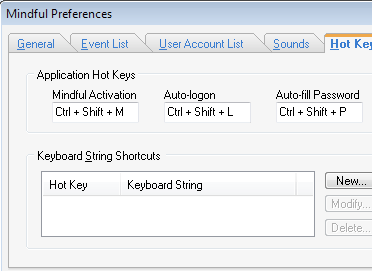
Mindful 2.0.0.1 opens with a smartly arranged interface with the main options located at the top and the to do tasks list below with the date, time and the days left to complete it; and further consists a user account containing all information secured with a password. The software combines all reminders, managers and related tasks into the system tray application that starts off whenever the computer system starts. It helps the user to remember appointments, meetings, statutory holidays, and even bill payments due along with any other events that may occur from time to time. The software contains an in-built holiday list to choose from along with space to define your own events. It also contains password facility that secures the user account and is ready to use as soon as the system starts; besides the complete safety of the user information and event lists.
Mindful 2.0.0.1 is an immensely useful application that caters to people in all spheres of life and hence deserves a rating score of four points for its utility value and stellar performance besides the secure password repository that it offers to its users.
User comments