


Editor's review
Professional photographers prefer printing thumbnail contact sheets before printing the original images so as to select the best images. In this process, they have to go through long manual process right from page layout creation, placement of image thumbnails, to printing the sheet. This engagement for tiring hours not only gets monotonous but also takes a toll on your efforts. But, this entire process can be completed within few clicks by taking the help of a proficient application in the guise of One Cat Picture Printer 2.00. The application provides you with a variety of layouts for printing the images or thumbnails on one page. Selecting the layout, you just have to drag and drop the images into the page, and then print them.
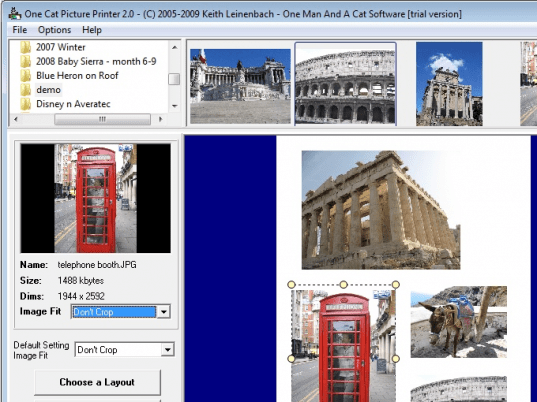
Using the One Cat Picture Printer 2.00 you can easily create thumbnail contact sheets and image index for hard drive or disc. The console of the application opens with file explorer, image listing area, and print methods placed on the screen. For beginning the task, you can expand and browse through system folders to access your images folder. When you select the images folder, the containing image files instantly get listed at the right display area. Now, you require selecting one of the three printing methods; choose images for printing, print a complete image directory at once, and print thumbnail catalog of a directory. Taking up an example, if you select to print selected image, this first method is of use here. Selecting it, next choose an image layout from the provided variety, following which you have to drag and drop the desired images to be placed on the layout. Here, you can even change individual image setting and default images settings for cropping or stretching the images. Now, finally you can press the Print button to get the page printed into index or contact sheet.
One Cat Picture Printer 2.00 come handy for creating thumbnail indexes, contact sheets, etc without putting in much effort while saving your time. 3.5 rating points have been allotted to the utility, considering the variety of layouts, print methods, along with smooth functioning that save the end-user’s time as well as energy.
User comments