


Editor's review
Perform Synchronization manually or automatically; Sync specified users/computers of Organizational Unit (OU) ; Sync user/computer information from Active Directory to SharePoint list.
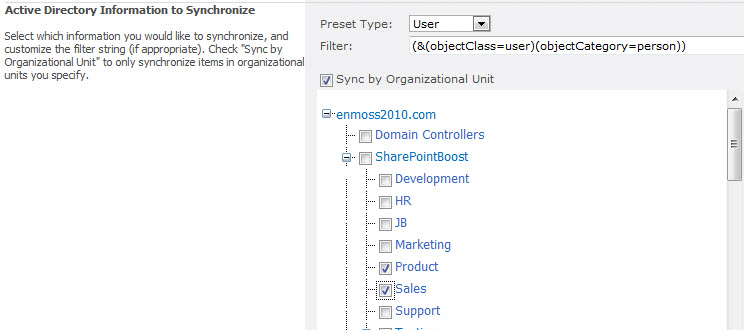
Features: Active directory synchronization profiles can be customized by this tool. SharePoint AD Information Sync provides a short-cut to set Active Directory sync to a SharePoint List based on profile synchronization. One AD-sync profile can set one-way sync from AD to one SharePoint list. With more sync profiles, you can gather information from multiple AD to one SharePoint List or from one AD to multiple SharePoint lists. AD information Sync provides an easy way to relate active directory information to SharePoint list. This list is based on profile synchronization. AD profile settings determine the kind of customization of the sync that happens. Sync profiles help you customize the active directory sync. The machine or the user you want to sync is specified by organizational unit (OU). Specific accounts can be excluded, if required, in the sync setting. LDAP queries also can specify the sync. You are able to operate sync manually or at scheduled times.
The sequence of things to be done for setting up a AD sync profile you need to select the SharePoint list object and set the AD login details. Then the LDAP query string is modified or a OU is selected. Lastly set up the column mapping for synchronization. Once the profile is saved manual sync can start. Alternately set schedule times for the sync activity. The AD information sync timer job feature will need to be activated in Manage Web features.
Overall: Directed at a specific task in a specific niche, it does its work.
User comments