


Editor's review
Often a number of official documents that you receive are in PDF format, which makes it difficult for you to use its content or edit it for further use. PDF files are safe but may be troublesome if you’ve to extract a specific part of information or make some important corrections to the content. Nevertheless, an easier way of making the PDF file data available for you is by converting it to Word file. And a proficient way of performing this task is by using PDF to Word Converter Pro 3.3. The utility imparts you with an intuitive interface including options to aid PDF to Word conversion be performed effectively. It allows you to derive the output with doc, rtf, and docx formats, or a plain text file. You can either convert entire document or a specific page-range of it, and also can mark features to exclude or retain necessary items of the PDF.
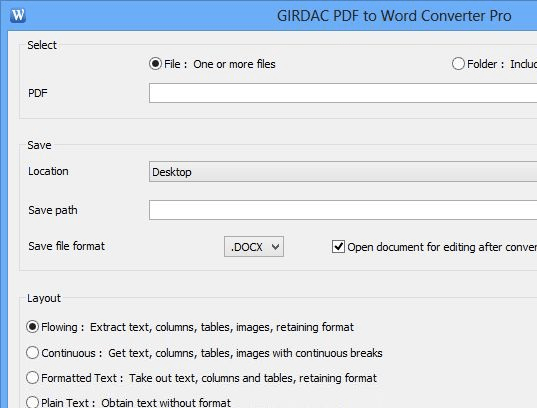
PDF to Word Converter Pro application launches with a pleasing and decently framed console with easy to use functions. For beginning the conversion process, firstly you’d require choose to select a single PDF file or a folder containing several PDF files. With ‘PDF’ select the source PDF file/folder, and using ‘Save to’ you can define the target location for storing the output Word file. Moving on with the selection process you get Layout where you can choose from Flowing, Continuous, Exact, Formatted Text, Plain Text, and Images. Next, Pages option is provided to let you choose whether you wish to convert all pages or otherwise specify the page-range for conversion. Further, set the output file format, character spacing, retain hyperlinks, and configure other provided options if needed. Now, finally click over Convert to command the application for proceeding with the task, the progress of which is also shown at main screen’s bottom side.
Using the PDF to Word Converter Pro 3.3 utility is quite easy and the output derived after PDF to Word conversion is of good quality with no content loss. The application is worthy to get 3.5 rating points for its optimum performance and wonderful features.
User comments