


Editor's review
Avoid the clutter in your mailbox as well as your system with the AD MailBox Manager.
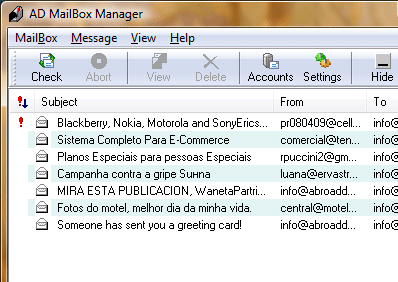
Unwanted messages and bulky messages can lead to a lot of space wastage. You can avoid this by deleting unwanted messages before downloading them onto your system right at the server. You can browse your messages which are clearly sorted on the basis of sender, date, subject or size. If you find a message very bulky or not important enough to be downloaded you could directly delete it at the server with a single button click. The program is easy to operate as it places an icon on your desktop tray and can be directly opened with Windows startup. It supports multiple accounts which makes it worth its cost. You can also set it to send you notifications of incoming new messages. If you need to read a message immediately, you can select the same and click the View tool button.
Set the program to perform system rechecks as soon as one second for list of messages.
User comments