
 |
 |
|
|
 |
 |
 |
 |
|
|
The best bulk email marketing software,which is "Best Bulk Emailer",the product is a mail group sender software, and produced by one group of elites,who work at professional Mail server development and Anti-trash Email rules.Meanwhile,which functions contain e-marketing and E-mail state following.The most excellences of the software are:
1.Easy Operation.Simple and easy interface,everyone can use it very well as long as you know how to send e-mail;
2.High success rate of sending.Several kinds of sending mechanism work together,you can choose which one is suit for you,and there are the newest Anti-trash e-mail rules,we can make sure that the product has higher success rate of sending in the same kind of product.
3.No limited of the senders and following service.Powerful following,analyse,real time statistic functions,making you enjoy the e-marketing reassuring and spicily,then you can know what the e-marketing will be very easily in everytime.
Meanwhile,the others functions of Best Bulk Emailer contains,email address validate,self_change ip,personality one to one send mail,stop_protected_keep sending,multitask send together,import and export mail address and so on.
All of them are made up of the Best Bulk Emailer Mail Group Sender software,if you are interested in it,just come and tryout it please!We are always trying to supply more service for you,and expecting you will share our product together.See More:http://www.bulkemailtools.com
|
|
Editor review: Reviewer, 2009-10-20 10:02:00
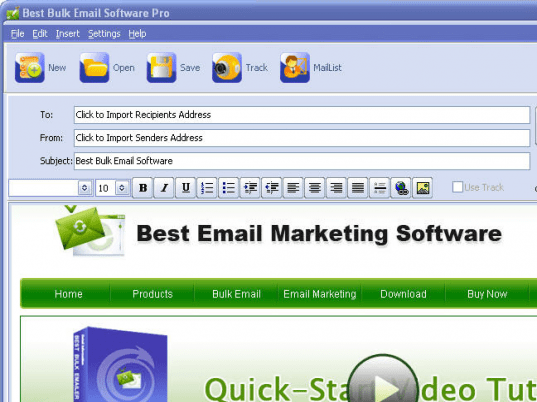
Best Bulk Emailer is useful to send bulk emails to your mailing list. It has a built in message editor and supports both text and HTML formats.
Features: Application interface is simple and easy to understand so that anyone can effective use this application to send bulk emails to the mailing list. This application is very useful to the people who would like to send bulk mails to their subscriber, send newsletter, publishing mail, advertising mails etc.
To send bulk mails, you need to follow simple steps. Create recipient address to send mails. Recipients setting allows you to add/delete/import email address and recipients name. You can also specify "do not send mail to the selected address or particular domain. Application allows you to create send mailbox setting; you need to specify email address, account, password, SMTP server and SMTP port etc. You can add multiple mailbox settings. Application allows you to set Send Parameter settings such as Basic info like Reply mailbox, sender name etc. Application allows you to set send parameters like send thread count, max recipient number, Interval of same sender etc. With task management menu you can see information of running task, waiting task, finished task and deleted task. It contains Task name, Task Title, success rate, start sending rate, finished time and track. Once all the setting are done then compose message and include To address, From address and Subject for your message. In the message body add your message in TXT or HTML format. You can also send an attachment with your mail; you can preview how your mail will look like. Once your message is set click on Send button to start sending bulk mails.
Overall: It’s a simple, easy to use and fast bulk email sending software. Careful about SPAM regulations.
|
 |
 |
Visit homepage of Best Bulk Emailer
Download Best Bulk Emailer V6.0
Popular search terms related to Best Bulk Emailer:
analyse, bulk email, email marketing, bulk, marketing, anti-virus, anti, anti-spam, email address, corporation
|

simple mail sender simple email sender bulk email sending bulk mail marketing email send mail server email sending server email mail send easy email sender

Programs related to Best Bulk Emailer
|