
Free Downloads Center
e.g. ClearContext Inbox Manager Personal Edition v2.0.6

Categories

Latest Reviews

Vitascene Starterkit

Vitascene Starterkit
Vitascene Starterkit is a professional tool that allows to manage and enhance the effects and transitions of images.

eCover Engineer

eCover Engineer
eCover Engineer, the professional tool that allows you to create outstanding eBook covers, CD covers, DVD covers and software box covers.

Subscribe

ClearContext Inbox Manager Personal Edition v2.0.6 Download

Editor's rating  
Users' rating   (0 votes) Rate it!
License Freeware / $0.00
Downloads 1450
Publisher ClearContext Corporation
File size 5620K
Date added 21-Jun-2006
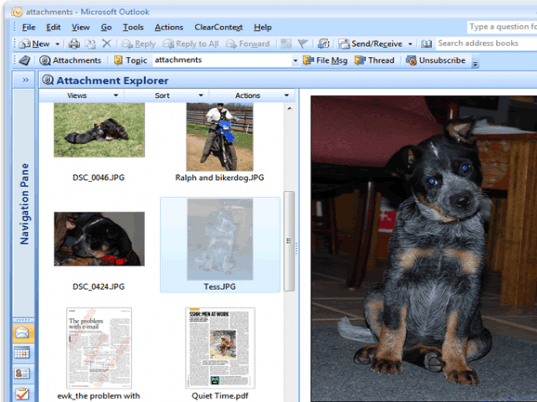
ClearContext Inbox Manager Personal Edition screenshot

Enlarge screenshot

Publisher's description
Editor's review
Submit your review

ClearContext Inbox Manager Personal Edition is a free product to help Outlook users manage email more efficiently. Inbox Manager utilizes patent-pending email and contact prioritization algorithms to automatically highlight a user’s most important email - no configuration or software "training" is required. Instead of facing a flood of unorganized emails, the Inbox appears the way it should be; the most important emails from the most important senders are at the top of the Inbox, ready to be dealt with immediately. Assign topics to email for easy categorization, filing, and retrieval of related email conversations. With one click, file and organize inbox messages. Save time and reduce stress by simplifying your Inbox!

Editor review: Reviewer, 2007-06-06 04:57:00

ClearContext Inbox Manager is an add-in for your Microsoft Outlook that can help in managing all your emails. This inbox manager can highlight and notify you of all your important emails. For finding the important emails this application uses patent-pending email and contact prioritization algorithms. With this application your inbox looks really organized with all important mails on the top and highlighted and the less priority mails in the lower order. For this differentiation between important and not so important emails you can assign filters and criteria like heading, name of sender etc. You can also set some keywords and if those words come in the content of the message then it will highlight the message.

The best thing is you don’t need to have any specific configuration and training for using this application. This application filters the emails only as important and unimportant and not as genuine and spam emails so you will have to find the spam emails yourself.

Visit homepage of ClearContext Inbox Manager Personal Edition

Download ClearContext Inbox Manager Personal Edition v2.0.6


product manager
personal edition
automatically email file
inbox email sender
read sms from inbox
personal manage
streaming audio manager
photo manager media
contact manager
outlook email merge

Programs related to ClearContext Inbox Manager Personal Edition

Copyright © 2001-2009, Free Downloads Center.