


Editor's review
Your emails are your assets and for any reason if you lost your .dbx file and are unable to access your outlook express data, then you lost a lot. No need to worry, Advanced Outlook Express Data Recovery tool helps you to recover your emails from the drives or disks for you.
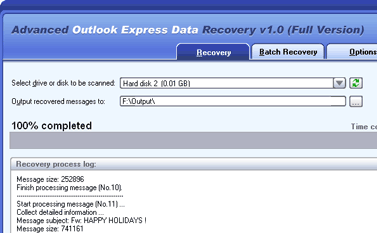
Features: It is a simple program to recover outlook emails. You can recover data from single drive or multiple drives by batch recovery. To recover data follow simple steps, select drive or disk to be scan from the available drop down list. Specify output recovered message directory to save all the recovered messages. Click on ‘Start Recovery’ button to start recovery process. Progress bar will show your recovery progress. To stop recovery simply click on ‘Stop recovery’ button. After recovery is complete all the recovered emails will be saved in the specified directory. You can also save recover log into a log file. Application allows to include additional information in the log file by selecting the "Include System Information" option in the save file dialog.
In batch recovery you can recover emails from a batch of drives or disks. You can add list, drives and disk to be recovered and specify target output folder for each drive or disk. Click on start recovery to recover emails from them. After emails in one drive or disk have been recovered successfully, its status will change to "Successfully". Otherwise, its status will become "Failed". The application allows you to set an option as open the directory containing all the recovered message, save recovered message into new folder when message in the current folder reached to specified number. Advance option allows you to set directory for temporary file.
Overall: This utility is useful to recover your emails from any device.
User comments