


Editor's review
This tool has been developed to migrate mails or inbox(s) from Novell GroupWise to MS Exchange Server or MS Outlook.
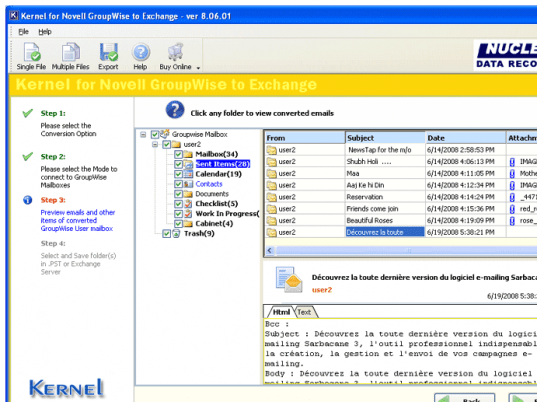
Pros: You can migrate one mailbox at a time or multiple mailboxes simultaneously from Novell GroupWise to MS Exchange Server or MS Outlook. Using the tool you create a .NUCON batch file which stores every detail of the mailbox to be converted and the file to which items will be migrated. The tool also supports migration of multiple mailboxes. You can migrate all your emails, attachments, images, contacts, journals, calendars, schedules, notes, appointments, sent items, trash items, cabinet, work in progress, personal folders, etc from Novell GroupWise to MS Exchange Server or MS Outlook. The data migration takes place without the risk of losing any data. Unicode characters gets easily converted. Email data field such as to, from, bcc, cc, date, time and contact details such as email addresses, fax numbers, phone numbers, address details and calendar entries such as scheduled meetings, appointments and all day events are completely migrated without missing out any of the detail. The data migration takes place in 4 simple steps, where you need to specify the single or batch option, select the mode to connect to GroupWise, preview the items to be migrated and specify the location to save which can be a PST or exchange server. Microsoft Outlook and Novell GroupWise client should be installed on the computer system on which you are performing the conversion.
Cons: Preview of the converted items is available with single mailbox conversion but not with multiple mailbox conversions. The Novell GroupWise Client and the .DB file i.e. User Mailbox file should be of same version or higher version.
Overall: Designed and developed to cater needs of large organizations that have 1000`s of GroupWise mailboxes. The tool is simple and easy to use and gets a 4 Star rating.
User comments