


Publisher's description
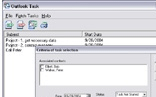
Outlook Task, a Windows utility designed to create a set of tasks from the Outlook task folder.
Do you ever get tired of your Task folder filling up with many records related to different projects or people? Can you afford the time to read all of these task items? It would be much simpler to arrange these tasks into a more structured sets of tasks.
Commonly, when you can't quickly identify the relevance of a task or the action the task requires, you end up leaving it in your Task folder "for later" without performing the necessary action. With our Outlook Task program you can create the set of tasks you need - you can list tasks related to some project, category, person, due date or even to a keyword. Using a wide variety of parameters, it's easy to obtain a summary of tasks for today or this week. Outlook Task is a great way to manage large numbers of tasks in the Task folder by having a list of the most relevant tasks readily available.
We all have difficulty with confusing numbers of task notes and know how frustrating that can be. Outlook Task helps to make it easy to manage your tasks. You can get a list of any items from your Task folder and then you can create a report. For example, you may want to get your business tasks for the week. With Outlook Task you can specify the category "business" and require the due date to be in a week. Then you can save or print the resulting set adding comments too, if required.
You might also want to keep track of tasks that you complete over a particular period of time. You can have a summary of all tasks that your have completed in the last week or month. You can then save this report for your records or send it to colleagues by e-mail.
Do you ever get tired of your Task folder filling up with many records related to different projects or people? Can you afford the time to read all of these task items? It would be much simpler to arrange these tasks into a more structured sets of tasks.
Commonly, when you can't quickly identify the relevance of a task or the action the task requires, you end up leaving it in your Task folder "for later" without performing the necessary action. With our Outlook Task program you can create the set of tasks you need - you can list tasks related to some project, category, person, due date or even to a keyword. Using a wide variety of parameters, it's easy to obtain a summary of tasks for today or this week. Outlook Task is a great way to manage large numbers of tasks in the Task folder by having a list of the most relevant tasks readily available.
We all have difficulty with confusing numbers of task notes and know how frustrating that can be. Outlook Task helps to make it easy to manage your tasks. You can get a list of any items from your Task folder and then you can create a report. For example, you may want to get your business tasks for the week. With Outlook Task you can specify the category "business" and require the due date to be in a week. Then you can save or print the resulting set adding comments too, if required.
You might also want to keep track of tasks that you complete over a particular period of time. You can have a summary of all tasks that your have completed in the last week or month. You can then save this report for your records or send it to colleagues by e-mail.
User comments