


Editor's review
This is a video converter tool.
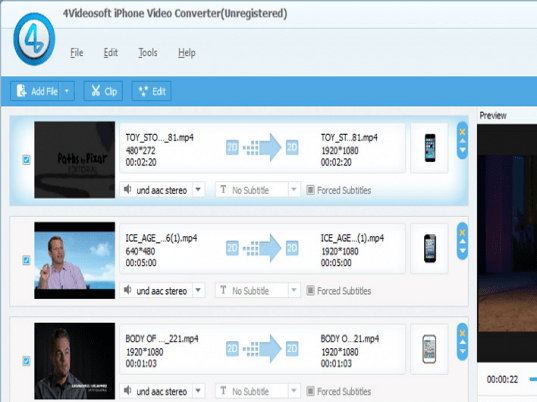
4Videosoft iPhone Video Converter is a software tool that converts popular video formats to formats compatible to the iPhone. The formats this tool can handle includes MPG, MPEG, MPEG2, MTS, M2TS, TS, VOB, MP4, M4V, RM, RMVB, WMV, ASF, etc to iPhone compatible MP4, H.264/MPEG-4 AVC(.mp4), MOV formats. This will let you enjoy all those video clips/movies you have collected to be carried with you anywhere you go, and play them anytime you want. One more reason to love your iPhone! If you wanted just the soundtrack of all these video clips, this tool will let you do that too in formats that are really popular like the MP3, AAC, WAV, M4A, AIFF audio. The interface is quite intuitive and simple to use. No particular skill will be required of the user as long as he/she knows how to use the computer.
Some useful features include the ability to trim, crop, join, take snapshot, and watermark. Trim, crop and join allows you the facility to customize the clip the way you want. Snapshots could be used to identify the clip and watermark will let you stamp the clips with your company logo or other text & images to establish your ownership. Some of the other useful features include video and audio settings including Encoder, Resolution, Frame Rate, Video Bitrate and Encoder, Sample Rate, Channels, Audio Bitrate. To make things really easy, profiles are defined for specific setting that include settings for a particular device. The tool is designed to take advantages of the newer processors through NVIDIA CUDA and AMD APP. This is a very good product and is a good option when you have a need for a tool like this. Go ahead and try it out in your exact work settings.
User comments