


Editor's review
Batch Photo Processor is a very useful batch conversion utility to convert your image as per specified setting into popular image formats. You can convert images to smaller size by scaling on image percentage or by specific size. Application has nice features like schedule automatic conversion at defined times from a specified folder. It supports folder watcher as well for automatic conversion and send an email for converted image.
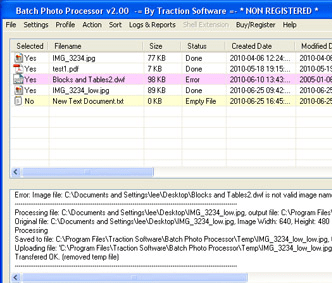
Features: Utility is useful to convert your image from one format to other format and apply the conversion as per defined settings. You can add individual files which you want to convert or add folder be specifying the file type such as JPG, BMP, TIF, PNG, GIF, PDF etc. Click on “process list” button to start file processing. All the processed images are saved at the specified locations. You can view processing log in the lower part of screen.
Application has photo setting option to set how you would like your photographs to be processed. You can reuse a profile or create one. You can set scaling parameters such as reduce image size to specified percentage of original size, specified maximum file size, maximum width and height etc. Set output file format from the supported format list. Set naming conventions using prefix, postfix, define output folder where you would like to store your converted files. Image manipulation, brightness / contrast and image cropping etc can be set. You can add text and image to your image file as watermark. Split color allows you to set RGB and CMYK colors. Convert PDF to image, set 40 bit or 128 bit password protection for security. You can protect PDF file by user password and owner password.
Overall: This is a fast and easy image conversion tool.
User comments