
Free Downloads Center
e.g. Watermark Software Unlimited Version 3.0

Categories

Top in this section

JAlbum

Free popular web photo album generator. Drop folders containing image and movie files onto JAlbum. JAlbum will create thumbnails of your images and display them in index pages in HTML.

Latest Reviews

Asterix and the Great Rescue

Asterix and the Great Rescue
Asterix and the Great Rescue is a fun and fanciful game suitable to all ages with an addictive game-play.

Proposalsmartz Proposal Writing Software

Proposalsmartz Proposal Writing Software
Proposalsmartz Proposal Writing Software is an handy application that allows you to work about smartly with your business proposals and documents.

Subscribe

Watermark Software Unlimited Version 3.0 Download

Editor's rating  
Users' rating   (1 votes) Rate it!
License Shareware / $199.90
Downloads 48
Publisher watermark software
File size 5841K
Date added 26-Oct-2009
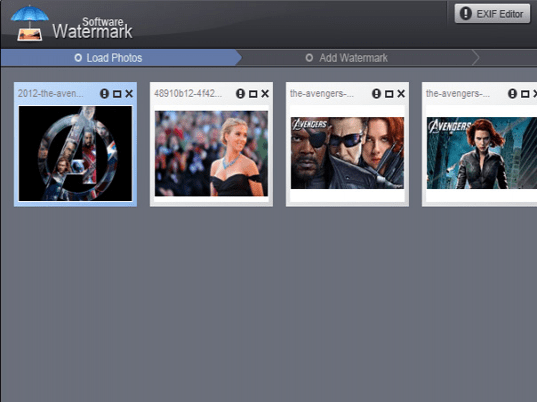
Watermark Software Unlimited Version screenshot

Enlarge screenshot

Publisher's description
Editor's review
Submit your review

If you are sharing photos to network, you never know what will happen. Someone could take the photos for their own use,or Malicious revised, you might never even know.
Watermark software is a professional photo watermark creator. It can helps you add text,image and logo to your pictures to protect your copyrights, only watermarking software can verifies your pictures are protected from unauthorized use. Our photo watermark software is not only watermarking tool, also can add pretty frames for your like, crop images, batch rename and photo resize etc. Watermark software is a fast batch photo processor and support all popular formats.

Function
Secure Protection - Add text and image to your photos and digital images,will prevent others from removing watermarks and stealing the photos.
Pretty Frames - We provide more a great many frames for you, you can edit it for you want to effects,and these is free.
Fast Watermarking Process - The photo watermark software have a Powerful batch processing function, utilizes a fast second generation engine. add pictures of the form as 800 * 600 Pixels, can finish it for you in 10 seconds.
Display EXIF Information - Watermark Software is an useful to understand EXIF information from your digital photos. watermark software provides these information to you, include "Camera Name", "Date Time", "F-Nunber" etc.
Support all popular formats - If you add different formats to watermark software, will process them in once, independent of their format.
Photo Resize - If your picture isn't suitable size, you can use the function to Resize ,and keep best effects. Only the our photo watermark software can do it.
Save your money and time - Watermark software is priced at just $199.90,unlimited register with no hidden fees. wo provide trial version for you test,and 30-day unconditional money-back guarantee.

Editor review: Reviewer, 2009-11-09 11:17:00

Watermark Software is standalone windows based photo watermark software. It allows you to add text watermark and image watermark for your photographs to protect from misuse. It also helps you to add frame, crop image, photo resize etc. This also supports batch processing.

Features: To watermark your photograph, you need to follow simple steps. Add files which you would like to watermark, You can see your photographs and the details of photo such as file name, type, size and data time. In the next step application has many features like add text, add image, add frame, crop, resize and rename. To add text watermark, enter text which you would like to appear on your photograph, you can do text setting for the text, you can also set opacity, rotate, alignment etc.

Using add image, you can add logo or image to your photograph. You can specify location for image watermark, set opacity, set proportion etc. Program allows you to add frames to the photograph. It has different type of texture, pattern and outer line for frame. You can also set crop and resize parameters for your image. Application also supports rename functionality to rename your converted file as per the rename settings. Once all the settings are done, click on Run button, it will navigate you to set destination folder to save your image. Select output file format from the supported list, it supports popular image format. Once again click on Run button to complete process.

Overall: This is a nice software to watermark your images and resize.

Visit homepage of Watermark Software Unlimited Version

Download Watermark Software Unlimited Version 3.0


add effects on pictures
photo and text effects
logo 3d text
network creator
batch picture watermark
photo effects creator
batch picture resize
resize form
form resize
display creator

Programs related to Watermark Software Unlimited Version

Copyright © 2001-2009, Free Downloads Center.