


Editor's review
Being a software developer, while creating an application you require keeping different aspects into consideration, an important one of which is creating the application icon. Now, either you’d prefer creating the icon yourself or else buy the ready-to-use icon packages available online. Nevertheless, sometimes even from the wide variety of readily usable icons you don’t find any icon suiting to your application’s theme. Also, you may find it much hassling and time-taking to get software and create an icon file settings its different attributes. Well, how about getting a simpler method that aids you in converting your liked images into icons. The program has been designed to facilitate you in generating 32x32 and 16x16 icon files from any of your images. It integrates a wizard-based interface facilitating you in performing the conversion process smoothly.
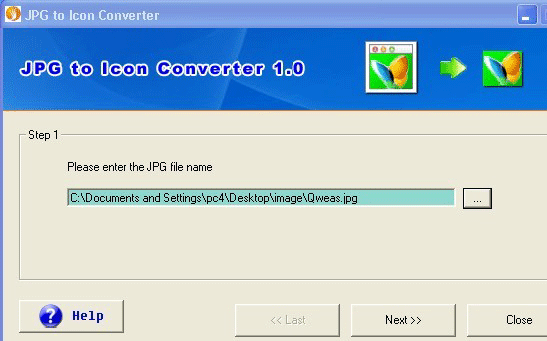
The JPG to Icon Converter provides you with a wizard-style interface, providing first step to select the desired image file for converting into an icon file. After choosing the image file, move to next step for specifying the size of your icon file. You can select any between two standard icon sizes provided, i.e. 32x32 and 16x16. Now, when you’ve chosen the image size, just press ‘Next’ for proceeding to further step. The further step prompts you to specify a particular destination directory for storing the output icon file. Further, clicking ‘Next’ the program offers ‘Convert to Icon Now’ and ‘Explore Icon File’ options. Pressing ‘Convert to Icon Now’ bar converts your selected image file into icon, and when the conversion process completes you can use ‘Explore Icon File’ button for accessing the target directory to view the resulting files.
With the JPG to Icon Converter you can effortlessly convert any of your images into icon file for using with your software development, etc projects. The utility, for its wonderful performance and simple wizard style interface, has been assigned 3 rating points.
User comments