


Editor's review
Many of us usually keep repositories of our touchy memories in the guise of images, and prefer creating eye-catchy album for the purpose. The requirement has largely been simplified with the advent of digital technology, and we usually store our favorite images in digital images on our PCs. This digital compilation also enables us to effortlessly share our images through web-based platforms. If you are also seeking to create impressive image albums to share it images albums with friends and family through web, then just try out Quickie Web Albums 4.3.7. It allows you to select images with different formats, and customization options. The program also provides custom templates to use with images.
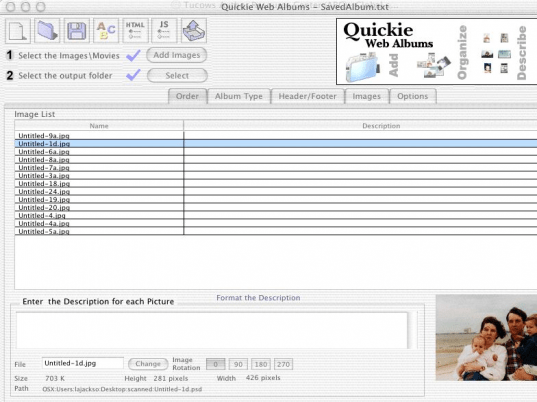
Quickie Web Albums 4.3.7 has the capability to get the images compiled into beautiful album in quick time. For creating the album, you need to add images to the program that get listed at the middle area of the interface. Selecting the desired images you can change their order and add description as required. Even the images can be rotated; hence you need not use any other application for correcting their view. To confirm the correct selection of images you’re also provided with the Preview feature. Select the output folder and move on with the options provided with the program. Next, you need to choose the ‘Album Type’ to be Regular, Horizontal Frames, or Vertical Frames. Further, you can enter any text, quote, etc with Header/Footer option to make it appear at the top or bottom of album page. Using the Images feature, you can easily alter the Image Table Options, Individual Image (full size) Options, and Thumbnail Options. Moving to finishing part, you simply need to enter a Title for all pages, choose the type of arrows for navigation, etc. Finally, making all the necessary selections, you just need to hit ‘Create’ and the application would start the album creation process.
Quickie Web Albums 4.3.7 makes album creation process a child’s play, as it requires users to follow an easy systematic procedure. Assigned with 3.5 rating points, the program consists of optimal feature-set that provides smooth performance during album creation.
User comments