


Editor's review
Photo Editor is an all-in-one tool that will replace several photo enhancement solutions at once. Intended for a wide audience, it will meet the needs of both novices and professionals and occupy a well-deserved place in their software collections.
Features: The amount of photographs that get take, both by amateurs and professions are very large since the arrival of the digital cameras. The probability is very high that some of these will have imperfections that need to be corrected. Typical problems could be noise on the photographs, blurs, shake of the hand or the color balance gone haywire. You can use a number of tools to get rid of image flaws one by one to reach a satisfactory result. This is a all-in-one application that will target all the problematic areas in the photos. It is a simple, easy-to-use and intuitive application.
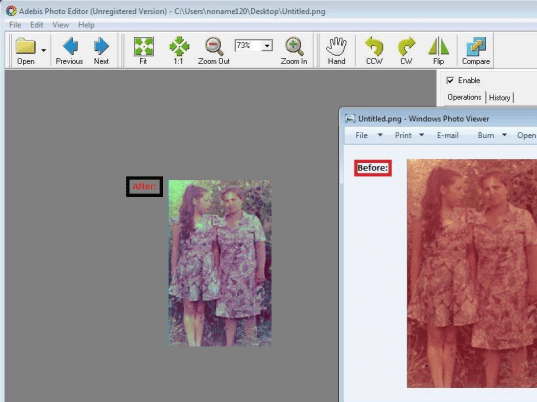
Adebis Photo Editor enables you to color-correct your photographs. Whether the color problem is that of color balance or saturation the correction is easily done. Exposure, brightness and contrast can be adjusted to get your photos to look attractive. Common facilities like removal of red-eye is of course available. Photo distortions arising from lens imperfections also can be corrected. When the photos have been perfected you can resize them to the size you want and/or crop them. A series of filters and effects can also be applied to any image. These include black and white, sepia effect, sharpness, auto correction of brightness, contrast and color balance, suppression of the "dark silhouette" effect occurring while shooting an object on a bright background and, finally, suppression of JPEG artifacts. You are able to see the effect of the corrections/filters in real time so that you can be absolutely sure of what effect you want to apply. Any mistakes you make can be rolled back easily.
Overall: An excellent photo editor with a range of useful features.
User comments