


Editor's review
While you can find a light and free solution for editing your raster images, say, creating graphics for your website or retouching your digital photos, a free vector editor is a rare species in the world of software. If you need one, consider yourself lucky as we're in to a review of Embedded Vector Editor.
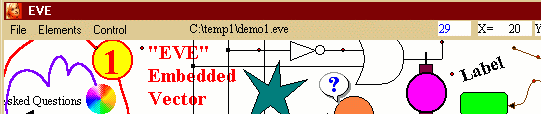
Embedded Vector Editor is a tiny application for creating and editing vector images in its own file format. It doesn't have a lot of toolbars and panels to learn for months, but has just about enough to create diagrams, schemes, etc. - and all that in seconds, ready to print out and enjoy the result. The functionality is about the same as in a medium-range vector editor: it lets you draw lines, rectangles, polygons, create text labels, align elements to grid and more.
The program is absolutely free and requires no installation. Check out the intro file - it is a source of information about the program as well as a perfect example of its usage. Download it now and see that for yourself.
Embedded Vector Editor is a tiny application for creating and editing vector images in its own file format. It doesn't have a lot of toolbars and panels to learn for months, but has just about enough to create diagrams, schemes, etc. - and all that in seconds, ready to print out and enjoy the result. The functionality is about the same as in a medium-range vector editor: it lets you draw lines, rectangles, polygons, create text labels, align elements to grid and more.
The program is absolutely free and requires no installation. Check out the intro file - it is a source of information about the program as well as a perfect example of its usage. Download it now and see that for yourself.
User comments