


Editor's review
Photo Editing & Saving Wizard is the perfect solution to perform base photo editing tasks, finish photo editing in Adobe Photoshop and create quality JPEG files. Get your photos ready for sharing, printing or storing.
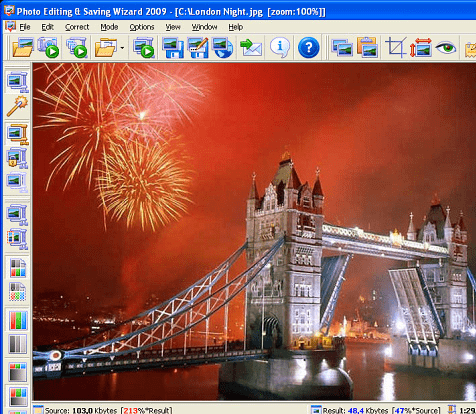
Features: Photo Editing & Saving Wizard is a solution to perform base photo editing tasks. It`ll let you finish photo editing in Adobe Photoshop. It`ll also let you create quality JPEG files. The JPEG generation can be done with a range of tuning of parameters and get the quality and the file size you want. A lot of resizing options let you save JPEG images with any size you need. You are able to set the quality you need. This utility is a nice way of getting your pictures ready for printing, sharing or storing. It is a batch processor so that a bunch of photos can be processed at a time. You would be able to upload and share your photos to many of the free photo hosting and sharing sites. Photo Editing & Saving Wizard can work either as a standalone application or a Photoshop plug-in.
It has Progressive JPEG images support that lets the image being published on the Web be incrementally displayed, gradually improving their quality during loading. Additional options for adjusting precision of compression allow you to get the best results. The preview of the resulting image immediately in the result image preview window helps make the compression adjustments completely visual. The process of compression is visual effectively trading image quality with file size by adjusting the compressor`s settings. You`ll be able to considerably improve multiple images with similar characteristics. A compression profile can be used repeatedly.
Overall: Nice, feature rich and easy to use photo processing application.
User comments