

Free Downloads Center
e.g. Universal Converter 0.9.8

Latest Reviews

Vitascene Starterkit

Vitascene Starterkit
Vitascene Starterkit is a professional tool that allows to manage and enhance the effects and transitions of images.

eCover Engineer

eCover Engineer
eCover Engineer, the professional tool that allows you to create outstanding eBook covers, CD covers, DVD covers and software box covers.

Subscribe

Universal Converter 0.9.8 Download

Editor's rating  
Users' rating   (5 votes) Rate it!
License Freeware / $0.00
Downloads 11455
Publisher Ankit Nagpal
File size 19K
Date added 11-Jul-2009
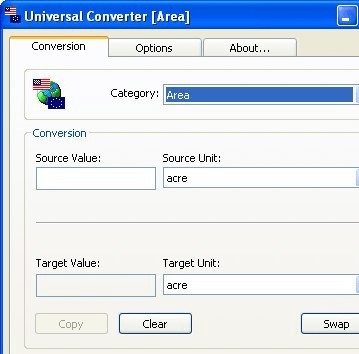
Universal Converter screenshot

Enlarge screenshot

Publisher's description
Editor's review
Submit your review

All-in-One free file converter that converts files to PDF (PDF/A, PDF/X), HTML, Word, Doc, PNG, JPEG, BMP, PCX, TIFF, PS, EPS, TXT, PSD PCL, SVG and all other major file formats.

It is a Batch file converter software that converts any printable document to all major file formats in just one click of mouse, preserving the exact look and content of the original document, complete with fonts and graphics.

Universal Converter provides security features such as password protection and a unique content copy protection to the converted documents. The content copy protection feature prevents others from copying your document's content.

Universal Converter provides maximum file formats and features than any other file converter available on internet.

Universal Converter appears like a normal printer on a Windows PC. Users can convert any document to the desired output format by printing it to the Universal Converter printer from any Windows application. Using an application's Print command you can print anything to this printer. Instead of printing on paper, Universal Converter converts document to the desired output formats. You can actually see the Universal Converter object in the Printers folder [Start -> Settings -> Printers]. Universal Converter is a software product and contains no hardware parts.

Universal Converter converts any application data to PDF, HTML, DOC, TIFF, JPEG, BMP including those created with drawing, page-layout, or image-editing programs. Using the application's Print command, you can create files directly from Microsoft Office applications, database applications, word processing applications or common authoring applications.

You can also distribute your converted documents by e-mail or store them on internet, hard disk, or a CD. Universal Converter also works as a preview tool.

Editor review: Reviewer, 2009-07-30 08:18:00

For creating interactive tutorials relating to your software or other products, you may prefer working with MS Word due to its easy and familiar features. Now after completing the document creation task, its time to convert into html or pdf format, to maintain content safety and preventing its distortion due to mistakenly pressed keys by end-user. But, performing such conversion without compromising the content requires using a proficient utility. Well, if you haven’t found an apt application yet then Universal Converter 0.9.8 would prove to be a great assistant for you. It’s an expert tool that would aid you in converting your Word documents into PDF or HTML formats. Not only these, it facilitates you in converting any of your printable files into several file formats such doc, png, pcx, eps, txt, pcl, svg, jpeg, tiff, etc. Even, it helps saving your efforts, as it supports batch file conversion.

With Universal Converter, you can perform the conversion process effectively without sacrificing content or quality. To commence conversion process you require selecting input files that get queued up at the mid of program console. Multiple files can be added after ‘Wait-Collect’ button. Now, after adding the required files, you’ve to select the attributes to be applied to source files for deriving required output. Moving further, you’ve to choose the output format for each every file, from the provided variety. In addition to format selection, you can even apply copy protection, watermark, and password protection with the resulting files. Finally press ‘Save’, in response to which you’d get the files printed in the specified format. Moreover, you can change features relating General Settings, Ghostscript, Document, Save, Auto-save, Actions, Print, Program Font, Languages, and Formats options. Subsequently with the process, it program would also generate logfile of the conversion activity.

The Universal Converter 0.9.8 allows converting printable files into different file formats, with expertise. The utility is worthily being allotted with 4.5 rating point considering the multiple formats support, impressive features, and fabulous performance.

Visit homepage of Universal Converter

Download Universal Converter 0.9.8


universal conversion
length converter
autocad metric
convert m4v to mov
convert rm to mp4
universal mp3 converter
how to convert avi to vob
wmv convert to 3gp
how to convert mpeg4 to mpeg1
convert vcd to divx

Programs related to Universal Converter

Copyright © 2001-2009, Free Downloads Center.