


Editor's review
While performing image conversion for a bunch of images, you might have experienced difficulty while trying to convert the images one by one. Such a manual process is often cumbersome and also making across board editing changes takes inordinate amount of time. You need to edit with one application and then go to another for conversion. Now you can get rid of the frustrations by trying the Any Image 4.1. It supports the conversion of large images in batch mode and even provides you with advanced image processing operations. The software supports the conversion from and to various image file formats. It supports working with image processing operations such as resizing, sharpness, contrast, text fields, color, etc. The software allows you to make intricate changes in the images and have the batches converted easily. It also assists users in the creation of the HTML image tables for their image galleries and the thumbnail indexes.
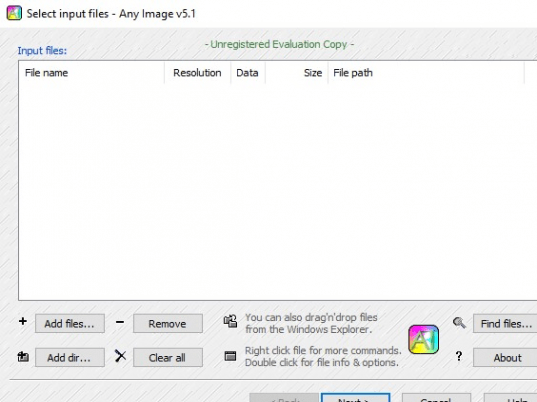
Any Image 4.1 enables the users to effortlessly have the images converted to various other formats and also change the different aspects by selecting the proper images processing features. The step by step process makes it easy for the users to make the desired changes in the images. For starting to work with the software you just need to have the images selected or removed to make the specific selection according to you. You cab even find the files with the available feature and then move on to the Next step. Now you need to make the selection for the Output directory, Options and even choose other options relating to the Output format, image size and the preset list. Choose the Output format and choose the options for filter, frame, image adjustments like contrast, brightness, etc. Make the required selections for the Thumbnails images, index html formatting and layout, etc. When you’re done with the required selections then you just need to start the conversion.
Any Image 4.1 performs the batch conversion with speed and does not require you to wait for long. The features and the configuration make it easily controllable. Considering all it functions, it has been provided 3.5 rating points.
User comments