


Editor's review
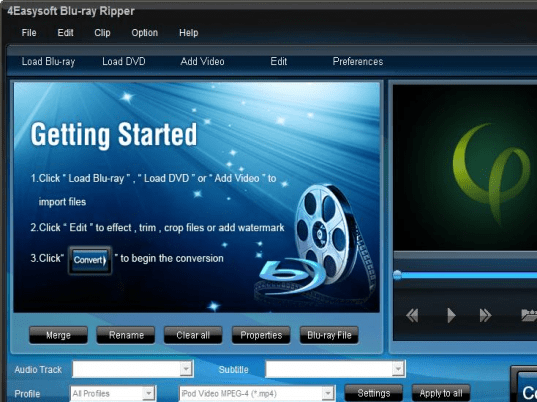
Blu Ray Ripping software programs are increasingly making its way into the market. But given a choice we would recommend you nothing other than 4Easysoft Blu Ray Ripper 4.0.32. This application is a fantastic example of how resourceful a software program can be. This invention of 4Easysoft is capable to easily rip Blu-ray discs in to wide segment of popular formats such as MKV, MP4, AVI, WMV and several others. With conversion of the files to these formats you will be able to enjoy them in your portable multimedia devices which include iPod, iPhone and iPad. The application is feature rich and comes with several other functions that enhance the experience of conversion unlike any other converter.
4Easysoft Blu Ray Ripper not only rips Blu-ray or DVD disc to other video formats but also has the capability to extract audio files and save them in serried of formats which includes AIFF, WAV, M4A, MP3 and others that are playable in Apple devices. This utility is powerful in removing copy protection that is imposed on commercial BD discs. Setting up of video effects like adjusting Contrast, Brightness and Saturation is made available by this application. Added to that, the Deinterlacing function that it offers aids you in converting interlaced videos into progressive video, optimizing the video effects greatly. Video editing functionalities like Merging of several files into one, cropping as well as splitting available with it. With the preview function you will be able to make sure the output of the files that you want to convert. This function also assists in capturing of all the images that you view on the screen.
The list of key feature of this tool is very long and impressive too. So finally after analyzing the tool we come to conclusion that it can certainly win a respectable score of four rating points.
User comments