
Free Downloads Center
e.g. 2D Batch Print for AutoCAD DWG, DXF, PLT 1

Categories

Latest Reviews

MediaMonkey

MediaMonkey
MediaMonkey is an all in one music manager and jukebox for music lovers to keep their collection more organized and flexible.

Smart Desktop Calendar Pro

Smart Desktop Calendar Pro
Smart Desktop Calendar Pro, the smart and customizable tool that provides a fully customizable personal calendar for your desktop.

Subscribe

2D Batch Print for AutoCAD DWG, DXF, PLT 1 Download

Editor's rating  
Users' rating   (1 votes) Rate it!
License Shareware / $300.00
Downloads 905
Publisher CADSoftTools
File size 3213K
Date added 2-Dec-2008
2D Batch Print for AutoCAD DWG, DXF, PLT screenshot

Enlarge screenshot

Publisher's description
Editor's review
Submit your review

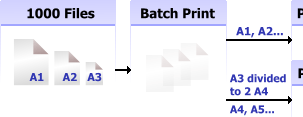
Automated Batch Print for drawings. No AutoCAD required. Batch Print is an easy-to-use application supporting DWG, DXF, HPGL, TIFF, SVG, CGM and other formats. Auto-detection for drawing sizes allows you to send different formats to different printers.

Batch Print is a printing program that responds to the extended requirements of the industrial and home user. The main purpose of Batch Print is the complete automation of the printing process of user's drawings. This program is able to print a wide range of file formats representing vector and raster graphics. It provides wide capabilities for filtering drawings and printing settings customization for further 'one click' printing.

Editor review: Reviewer, 2008-12-24 09:01:00

Automated Batch Print for drawings does not require AutoCAD. Batch Print is an easy-to-use application supporting DWG, DXF, HPGL, TIFF, SVG and other formats. Auto-detection for drawings sizes allows you to send different formats to different printers.

Pros: No AutoCAD needs to be present on the machine you have the Batch Print installed. It can print drawing files of different formats starting from the most popular DWG and DXF to HPGL, TIFF, SVG and CGM etc. Both vector and raster formats are handled. It is able to detect the drawing sizes and able to manage printing accordingly. It is able to manage the needs of home users as well as business users. At the beginning of printing user generates a list of files he wants to process. Settings are done automatically. Bach Preview makes it possible to view final condition of pages to print and to change printing settings individually.

Tools that help customizing the print process are the input filters and output print settings. It provides wide capabilities for filtering drawings and printing settings customization for further `one click` printing. Input filters allow users to classify all drawings from generated file list to groups. The file list passes through filters and files are grouped by extension (file mask), format or their combination which can be predefined and saved. Output printing settings allow users to customize printing settings and final appearance of printing drawings. These settings can be predefined and saved as well.

Cons: Lots of formats and lots of settings are handled by the program. Thus there’s always a possibility of problem in some combinations, so watch out!

Overall: Nice features and settings make this quite easy to use and is 4 star material.

Visit homepage of 2D Batch Print for AutoCAD DWG, DXF, PLT

Download 2D Batch Print for AutoCAD DWG, DXF, PLT 1


plt hpgl
hpgl plt
printing dwg
svg to dwg
plt file
dwg to svg
hpgl file
dwg to plt
dxf svg
dxf hpgl

Programs related to 2D Batch Print for AutoCAD DWG, DXF, PLT

Copyright © 2001-2009, Free Downloads Center.