
Free Downloads Center
e.g. Bytescout Watermarking 2.40

Latest Reviews

Vitascene Starterkit

Vitascene Starterkit
Vitascene Starterkit is a professional tool that allows to manage and enhance the effects and transitions of images.

eCover Engineer

eCover Engineer
eCover Engineer, the professional tool that allows you to create outstanding eBook covers, CD covers, DVD covers and software box covers.

Subscribe

Bytescout Watermarking 2.40 Download

Editor's rating  
Users' rating   (1 votes) Rate it!
License Shareware / $19.95
Downloads 833
Publisher ByteScout
File size 1897K
Date added 7-Sep-2009
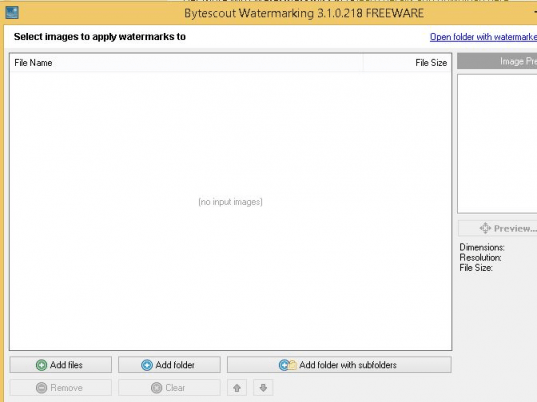
Bytescout Watermarking screenshot

Enlarge screenshot

Publisher's description
Editor's review
Submit your review

Bytescout Watermarking is an effective wizard-based images (JPG, PNG, GIF, TIF) watermarking software. Protect your images within a seconds with elegant text or image watermark label.
* Easy-to-use interface;
* Built-in set of ready-to-use watermark types with text and logo images support (annotation, text, text fits page, tiled text, vertical text, diagonal text, transparent logo image, logo image with text, DateTime, FileName stamps);
* Ready to use "rubber" stamps: DO NOT COPY, PROTECTED, PRIVATE and other with Stamp watermark type;
* live preview for watermarks;
* ability to dinamically resize text according to the source input picture size;
* Ability to preserve original images file format or convert to another (JPG, TIFF, PNG, TIFF);
* Integrates with Windows Explorer so just select image and right-click to add protection to the image(s) or use Send To menu to send images to Watermarking

Editor review: Reviewer, 2008-07-04 08:48:00

Bytescout Watermarking is easy-to-use images watermarking software. Protect your images within quickly with elegant text or image watermark labels. Provides built-in set of ready-to-use watermark types, integrates with Windows Explorer menu.

Pros: Bytescout Watermarking lets you watermark images either singly or in a batch. With a quick wizard like interface the whole process takes very little time. Image formats JPG, PNG, GIF are handled in this watermarking software. Protecting images is just a few clicks away. The interface lets you create a list of images to be watermarked. Integrated with Windows Explorer, it is easy to just select image and right-click to add to the list. You could select images individually or add a full folder at a time. Deleting function adds the pruning capability to arrive at the final list quickly.

There’s a set of templates one can use to watermark target images. Quite a few text based choices are available. These styles include annotation, text, text fits page, tiled text, vertical text, diagonal text, transparent logo image, logo image with text, Date Time, File Name stamps. Not only the text could be typed, you could control the tile to be used or the amount of tiling to be done. Besides, you have a choice of using a logo or even a logo with text. Look at the preview and then start the batch process. The will dynamically resize text according to the source input picture size. One could do this keeping the source image format intact or convert another within the supported formats like JPG, TIFF, PNG, TIFF The whole thing is done swiftly.

Cons: No problems seen.

Overall: Really simple application, easy to use this is good for 3 stars easily.

Visit homepage of Bytescout Watermarking

Download Bytescout Watermarking 2.40


text to jpg
tiff images
image protect
batch watermarking photos
convert png to swf
visual watermark
avi to tiff
watermark video
watermark tools
convert jpg to eps file

Programs related to Bytescout Watermarking

Copyright © 2001-2009, Free Downloads Center.