


Editor's review
DWG and DXF are common AutoCAD file formats, preferably used for saving 2D and 3D design metadata and data, and ensure data interoperability between other programs and AutoCAD. But, these files pose serious problems, when accessed on PCs, with no AutoCAD application installed in it. The issue can be fixed by converting the DWG and DXF files into the most common JPG, or any other image format, which can be effectively done with the help of DWG to JPG Converter Pro – 2008 application. The software helps you to batch convert the DXF and DWG files in formats such as JPG, BMP, WMF, EMF, etc.
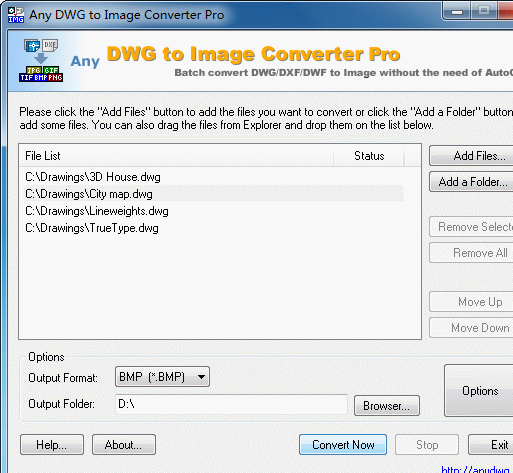
Using the DWG to JPG Converter Pro 2008 is extremely easy as the interface and the feature-set is simple. To get started with the conversion process, first you need to add the file or the folder with DWG and DXF format files. The selection is listed at the middle part of the program interface. It even provides you with the options to convert the DXF and DWG files separately by adding separate folders. While adding the files and folders if you want to include the sub folders then you just need to enable the ‘Include Subdirectories’ option. Making the file selection, next you need to select the Output format from the drop down menu, and the Output Folder to save the files. Further you can modify the settings for Output Sizes and Colors, SHX and XRef Directories, Output Layout and Line Width (Pen Width). After performing the required modifications, you just need to click on ‘Convert Now’ to start the conversion process.
DWG to JPG Converter Pro – 2008 application supports easy DWG and DXF format file conversion into common image formats. The process makes file-sharing a lot easier, and allows you to access them on any PC. Taking its various features into account, the application is deservingly rated with 3 points.
User comments