


Editor's review
It surely would be fun creating your kid’s birthday album from his very first year as you can cherish the lovable memories altogether. However, while doing this, you might face certain difficulties regarding varied image sizes and formats. The varied image dimensions give them a mismatched appearance, while the different image formats can make the images load slowly, resulting to which the album may get heavier. Well, if you want to resize and convert all your images quickly without getting into complex processes then simply try Free Photo Converter 1.0. The utility combines an easy feature-set that enables you to perform a batch resize and convert your entire images into desired dimensions and formats. It supports converting images between five image formats namely jpg, png, gif, bmp, and tiff.
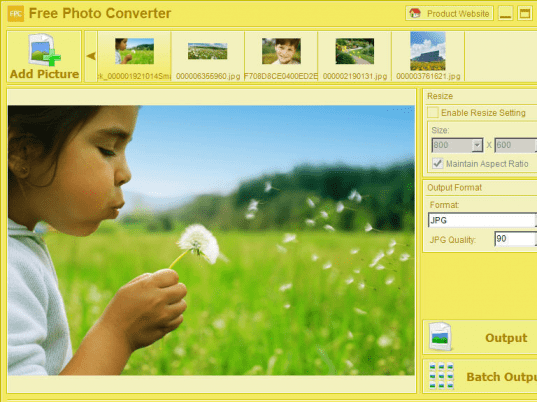
The Free Photo Converter on launch displays a simple and attractive console with features well-placed on it. To begin with resizing and conversion process, make the selection of individual or multiple images you want to resize or convert. The chosen images are queued up at the upper part, from where you can select, preview and work on any image. The image preview is shown with the mid left console area, and the alterations can be made through configurations placed with right pane. Utility provides you with Resize and Output Format options to make necessary selections. You can selectively enable Resize option that includes features to set dimensions, and to maintain aspect ratio. The next Output Format option lets you select the format and its quality. Finally, press Output or Batch Output option for carrying out the specified process; conversion, resizing or both.
Free Photo Converter facilitates you to accomplish the conversion process in quick time owing to its uncomplicated options and its overall credible performance making it earn a score of 3 rating points.
User comments