
Free Downloads Center
e.g. TotalVectorize 1.1

Latest Reviews

StatPlus 2009

StatPlus 2009
StatPlus 2009, comprises a suite of statistic tools and graphical analysis methods in a simplified interface.

Accord CD Ripper Express

Accord CD Ripper Express
Accord CD Ripper Express is a free to use tool with the capabilities to Rip and grab audio files from CD or DVD to WAV or MP3 formats.

Subscribe

TotalVectorize 1.1 Download

Editor's rating  
Users' rating   (1 votes) Rate it!
License Shareware / $39.90
Downloads 2170
Publisher Helmsman
File size 3362K
Date added 23-Oct-2009
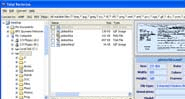
TotalVectorize screenshot

Enlarge screenshot

Publisher's description
Editor's review
Submit your review

This useful handy utility helps you to convert images to WMF or SVG. There are two ways of workig: it can either rasterize one image or a batch of them. All this made by one click. Transparent interface and high efficiency will make you enjoy the process of converting.
Also, Total Vectorize may be run from the command line allowing for use in batch files or can be launched from within other programs.

Editor review: Reviewer, 2009-11-09 11:11:00

TotalVectorize is useful to convert your image to WMF, SVG, EPS and PDF format. This is a standalone application works without any image format software. The application is available in Graphical User Interface format and as a command line utility. It supports English, Spanish, Russian, German, French and Japanese languages.

Features: The application has user interface similar to windows explorer. It supports wide range for image format for conversion like BMP, JPG, ICO, TIF, PNG, WMF, EMF, PCS, TGA, GIF etc.

Select the files which you want to convert by check and uncheck options. Select an option to which you want to convert. The application will open new window to specify parameters for conversion. Select destination folder where you would like to store the image. You can crop your image by removing unnecessary part, specify crop top, bottom, left and right or directly select size on the image.

You can resize your image during conversion, you can set an option as no resize or resize as per specified width and height. You can also specify constrain proportions like stretch, thumbnail and adjusted. You can set background and foreground color, set rotation angle, choose metafile type as windows metafile or enhanced metafile. You can compress metafile. In start conversion, application displays list of options chosen by you to convert file. Once you confirm that this information is correct click on start button to start conversion process. Converted image gets saved at the defined location.

Overall: This is a nice tool for converting your image file to vector format files such as WMF, SVG and EPS.

Visit homepage of TotalVectorize

Download TotalVectorize 1.1


convert svg to jpg
transparent images
batch print utility
create wmf
batch process
transparent image
svg to pdf
wmf to mp3 conversion
convert ogm to mpg
rmvb convert to wmv

Programs related to TotalVectorize

Copyright © 2001-2009, Free Downloads Center.