


Editor's review
The BlindScanner software will share and open access to a scanner on the local area network that is not directly connected to your computer, but installed on a computer located in the neighboring room, for example.
Pros: BlindScanner client module connects to the server running on the machine connected to the scanner. There can be several scanners over the LAN communicating with the server to get scanning jobs done. Essentially this is just a resource sharing program allowing access to a scanner anywhere on the network to members on the LAN.
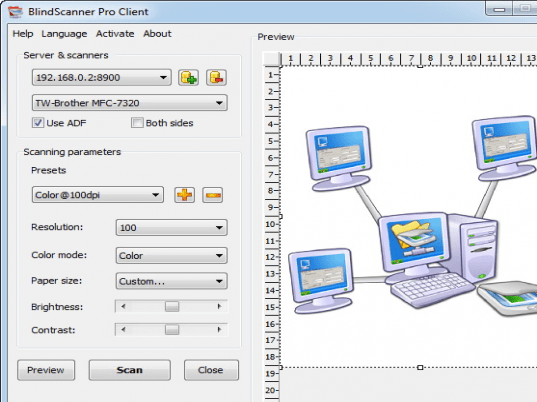
A range of resolution is supported depending on the actual scanner used. This ranges from 100 dpi to 2400 dpi images. Image formats supported are BMP, JPG, PNG etc. Whole range paper sizes are supported too. Paper sizes cover a wide range starting from A3/A4/A5/A6 through B3/b4/b5/b6 and various US sizes such as letter size, legal size down to US business card sizes. Pure black and white, grayscale images and full color scanning can be handled. Brightness and contrast adjustments are also available.
Ease of use, support of various formats, automatic scanning of pages, image compression, and support of automatic feeder are some of the feature highlights.. Image processing software to be used for actually doing the scanning can be of user’s choice. The BlindScanner Pro needs to be listed as an installed scanner. Any TWAIN compatible scanner can be supported through this application.
The program is available in Russian and German versions too besides the English version.
Cons: On my first trial the server part was not installed initially when the program was tried. After setting the necessary parameters and the output file, when scanning was initiated the program was forever in the “connecting to server” mode. I’d have expected a time out and then a error message saying that connection could not be established.
Overall rating for the package 3 stars.
User comments