


Publisher's description
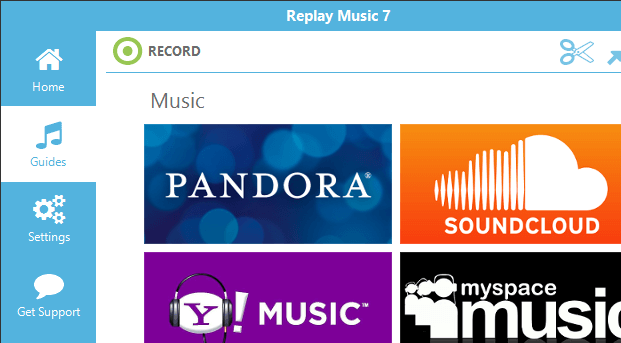
Replay Music is the best streaming audio recorder available. It records streaming music online from any music site or streaming service (Spotify, Pandora, and more) without capturing system sounds, giving you a clean recording. Plus, find any song with the built-in Media Guide. Save your recorded songs as MP3, FLAC, OGG, WMA, M4A or WAV, perfectly separated into individual tracks & correctly tagged for iTunes.
2000: Replay Music is the ultimate streaming music recorder, perfectly capturing any streaming music you play on your Mac, including Spotify, Pandora, Rhapsody, Deezer and more, without capturing outside system sounds. Your recorded music tracks are saved as individual, high quality files in MP3, M4A, WMA, OGG or FLAC format, and each song is automatically tagged with the correct Artist, Album, Title and Genre information for you.
Replay Music works with any music video websites -- like YouTube -- or streaming music site -- like Spotify or Pandora. Replay Music is the only audio recording product that works with high quality online radio stations, music videos, Spotify and popular subscription music services, and any OS X-based program. After recording streaming audio online, you can quickly upload songs to DropBox, Google Drive or OneDrive for easy access to your saved music anywhere - its the best way to discover and keep new music!
Using proprietary song recognition technology, Replay Music identifies each song after it's recorded, and adds the artist, song title, album and genre information to each music file. Additionally, Replay Music will add the song lyrics and artwork into the metadata. You can record and tag 25 tracks in the Replay Music demo mode, and record & tag unlimited songs when you upgrade!
2000: Replay Music is the ultimate streaming music recorder, perfectly capturing any streaming music you play on your Mac, including Spotify, Pandora, Rhapsody, Deezer and more, without capturing outside system sounds. Your recorded music tracks are saved as individual, high quality files in MP3, M4A, WMA, OGG or FLAC format, and each song is automatically tagged with the correct Artist, Album, Title and Genre information for you.
Replay Music works with any music video websites -- like YouTube -- or streaming music site -- like Spotify or Pandora. Replay Music is the only audio recording product that works with high quality online radio stations, music videos, Spotify and popular subscription music services, and any OS X-based program. After recording streaming audio online, you can quickly upload songs to DropBox, Google Drive or OneDrive for easy access to your saved music anywhere - its the best way to discover and keep new music!
Using proprietary song recognition technology, Replay Music identifies each song after it's recorded, and adds the artist, song title, album and genre information to each music file. Additionally, Replay Music will add the song lyrics and artwork into the metadata. You can record and tag 25 tracks in the Replay Music demo mode, and record & tag unlimited songs when you upgrade!
User comments