


Editor's review
Choose the video movie or its part and then crop it for your avatar or userpic. By using Video Avatar you can create original avatars for your blogs, journals, you can also set userpic in your profile page for any forums, communities.
Pros: Essentially the Video Avatar is a tool for creating animated GIF avatars. One can choose to use a video clip or even a small part of it, get it converted to an animated GIF and use it as avatar or a user picture as a interesting variation on just using a static image. At one level this application is a video cropper. Use these avatars for your blogs, journals; you can also set userpic in your profile page for any forums, communities, your website, etc.
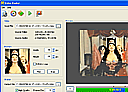
Video Avatar supports all the video formats for inputs. These include formats AVI, ASF,MP4, MPG, MPEG, MOV and WMV. Output parameter settings include width & height in terms of pixels, frames per second and whether the animation should play straight or in reverse. One could use a piece of a movie that one likes, a cartoon, music video or a personal clip. Same can be cropped to skip unwanted frames or give it a zoomed look by doing a rectangular crop on every frame chosen. The user interface provides a range bar with a preview panel to enable choosing the frames right. You could easily decide the time length of the animation you want to create. The range bar is a direct timeline for this purpose. One can save single image or the animated avatar and the corresponding animated GIF is saved in the same directory as the source or one chosen by the user.
Cons: Flash and FLV support would have added to the versatility of the package.
Overall the application is a well designed one, is easy to use and learn, a definite 4 star candidate.
User comments