


Editor's review
Often we like videos to run one after another in full screen mode. Whether you’re having a casino, shop, hotel, or even at home you may like to have the full screen loop player that would play one or more videos. For this very purpose we have the Atrise Terminal Video Player 1.0.0 that starts working right after the installation. You just need to set the playlist and need not to have the files played or set to full screen again and again. It supports playing files with formats like .avi, .wmv, .avi.
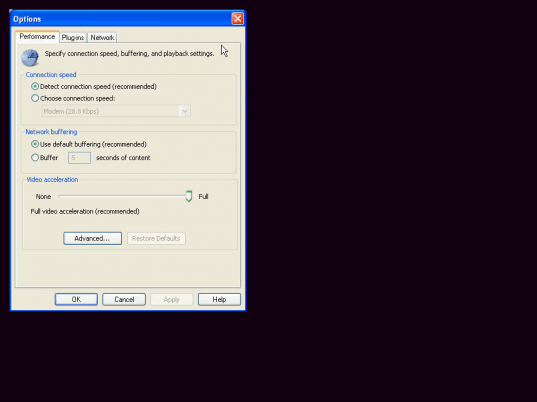
Atrise Terminal Video Player 1.0.0 open with the screen that starts playing the default videos that had been set with it. It opens with the full screen that plays continuously and you do not need to bear those black borders anymore. For having changes made you get the text file for the playlist that you can edit it to add the videos. While files are played you can operate according to your needs. With the right click on the screen of the player you get various options. You can have the file played or paused and even stopped if you wish to. You can also set the videos to be played with variation in speed, you can make select fast, normal or slow. You can also select the volume to be up, down or have it mute. Change the view of the video easily with the zoom option to have it to be full screen, 50%, 100% or 200%. You can see the properties and statistics information. You also get the file marker features, and the Option features that open the related window on clicking. You can set the performance features; you can set the Connection speed to be to be detected or chosen, set the default buffering and also you can set the video acceleration. Select the Plug-ins and also you can set the Network features for Streaming Protocol, and Streaming Proxy Settings.
Atrise Terminal Video Player 1.0.0 can play the files from the CDs, VCDs, DVDs and also the files taken from internet and gives an effective performance for which it receives a score of 3.5 rating points. It definitely serves as handy tool whenever you would love endless running of play lists without a hassle.
User comments