
 |
 |
|
|
 |
 |
 |
 |
|
|
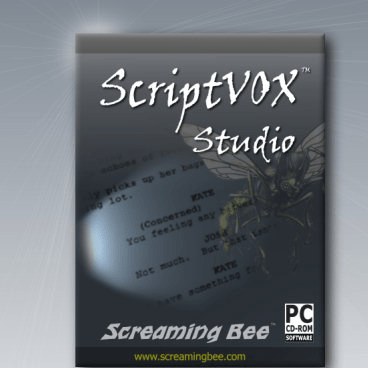
ScriptVOX Studio is easy to use text-to-speech software for writers that can open up a new window on your creativity. Writers can import a screenplay, movie script, documentary or even a children’s story. ScriptVOX will allow you to quickly add voices and images to your text. You can even save your multimedia presentation and share it with others.
Hear your story: Rapidly assign a unique voice to all your characters. With the advanced built-in text editor, you can assign parts to various actors and choose how your characters sound. As your script is played back, each actor will automatically speak in the voice you have chosen.
Unlimited number of voices: Writers can create a custom setting for each actor from a single text-to-speech voice using the powerful TTS-Morphing engine. The software includes a number of basic voice-mods free, or you can tweak the existing ones to create a unique sound for your actors!
Add your own voice: With the Voice-Over Feature, you can add live vocal recordings or existing voice audio files to your story.
See your story: Writers can add pictures to words or whole blocks of text and create a storyboard for the script. In short time, you can see a story, screenplay or movie script visually come to life.
Review your story by saving it as an audio file or as a full multimedia video file. Create an presentation or demo of your project.
- Customize text-to-speech: control pitch, timbre, and effects.
- Built-in mods allow many variations from a single TTS Voice
- Compatibility with Microsoft, Cepstral Text-To-Speech Engines
- Digital Effects: add radio, echo, reverb effects and more
- Writers Storyboard Tool: align any picture to a line of text
- Easy Actor Assignment: just select the line and pick your actor
- Multimedia Playback and Writer Navigation Tools
- Import Text, RTF, PDF and Word Documents
- High-Definition Video Output
- Subtitles
|
|
Editor review: Reviewer, 2008-08-25 09:12:00
ScriptVOX Studio is text-to-speech software with useful features for writers. It allows creative writers to add images and voices to their texts. The software is specially designed for writers to include audio-visual add-ons in their texts. It also allows multimedia presentation of a write-up.
The new ScriptVOX Studio 1.8.2 has many interesting features that make stories come to life. Ideal for script writers, the software has a quick voice add-on feature enabling you to choose different voices for the characters in your script. Its TTS-Morphing engine can create custom settings for each character with a single text-to-speech voice. The Voice-Over feature enables you to add live vocal recordings or pre-recorded audio files to your stories. If you integrate ScriptVOX with MorphVOX Pro Voice Changer, then you can add more voice qualities to your characters with ease. You can make your narration visible by adding a storyboard. Choose a picture and align it to the preferred line of text. You can also add text captions to your story. ScriptVOX Studio 1.8.2 allows you to create multimedia video files of your screenplay. So you can save your audio-video file and review it whenever you wish. So you have all the options for your narration. Just think of the possibilities - you can hear your story, see the characters, give them voices or add your own, create a demo of your novel, customize the voice-overs for each actor. You can also enjoy your players on high-definition video outputs like YouTube.
ScriptVOX Studio 1.8.2 has powerful writing tools using which you can enhance your novel or screenplay. The choices are limitless. You can make your actors speak the way you want!
Overall: ScriptVOX Studio can be best described as the story writer’s perfect software. It opens new windows of creativity to upcoming writers. It is compatible with Windows 2000, XP and Vista along with Cepstral text-to-speech engines. Well-equipped with the audio-visual and digital effects, ScriptVOX Studio 1.8.2 can be rated 4 stars.
|
 |
 |
Visit homepage of ScriptVOX Studio
Download ScriptVOX Studio 1.8.2
Popular search terms related to ScriptVOX Studio:
pdf editor, morphing, video editor, cd writer, tweak, text to speech, speech, radio, presentation, microsoft word
|

word writer editor of the pictures with different effects pdf to audio voice word voice editor video subtitles movie tools video and audio editor studio video video cd editor

Programs related to ScriptVOX Studio
Easy-to-use professional desktop editor for creating flip books with the page turn effect from your PDF files. FlippingBook PDF Publisher is a Windows...
Simple vector graphics editor for creating flowchart, diagrams and slide shows.
Features:
Customizable template object palette.
U...
Simply create digital slideshows and present them directly on YouTube™!
MAGIX Slideshow Maker livens up old images and videos! This free program easi...
H.264 Encoder is a freeware to encode popular video files to H.264/AVC video format; H.264 can encode video with approximately 3 times fewer bits than...
Leawo PowerPoint to Video converter is a excellent program that enables you to convert PowerPoint presentations to video files in all popular formats,...
Moyea PowerPoint to VOB Converter can convert PowerPoint to video in AVI, WMV, FLV, MPEG, MP4, VOB, 3GP, 3G2, DV, VOB formats with excellently quality...
Leawo PowerPoint to Pocket PC Video converter is a excellent program that enables you to convert PowerPoint presentations to video files in all popula...
"ShareMixer" is one of the best video sharing scripts (YouTube clone), with a huge variety of features: Multilingual, Video advertisements, Unlimited ...
Moyea PowerPoint to 3GP Converter can convert PowerPoint to video in AVI, WMV, FLV, MPEG, MP4, 3GP, 3GP, 3G2, DV, VOB formats with excellently quality...
Create Interactive Macromedia Flash Quizzes from PowerPoint easily with PowerQuizPoint. You can insert interactive Quiz slides directly into your Powe...
|