

Free Downloads Center
e.g. Easy Screenshot 2.0

Latest Reviews

Animated Wallpaper Maker

Animated Wallpaper Maker
Add life to your desktop, decorate it with self created animation wallpapers with the help of Animated Wallpaper Maker.

Pimero Free Edition

Pimero Free Edition
Pimero Free Edition, perfect for private use this program will manage and organize all your personal information, appointments, emails, contacts, tasks and notes.

Subscribe

Easy Screenshot 2.0 Download

Editor's rating  
Users' rating   (0 votes) Rate it!
License Shareware / $19.95
Downloads 977
Publisher Easy ScreenShot
File size 1943K
Date added 24-Sep-2007
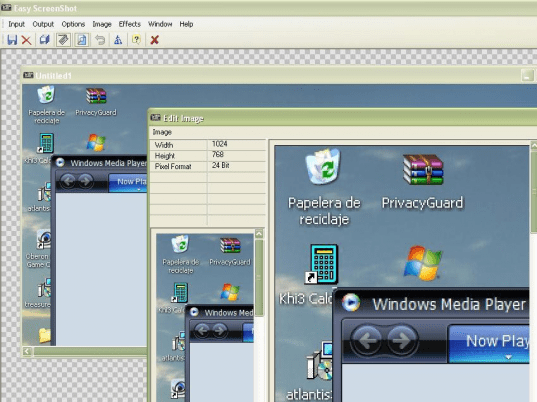
Easy Screenshot screenshot

Enlarge screenshot

Publisher's description
Editor's review
Submit your review

Easy ScreenShot is award winning screen capture software that captures all or any part of your computer screen. You can add text, apply professional image editing or add expert special effects. Print your results or save them in several graphics formats. With our exclusive "auto capture feature" you can create a first-class slide show presentation, save it in an standard AVI file and play it back on any codec. This is a perfect screen capture utility for viewing, capturing, editing and printing images to design manuals, presentation documents, help files and web pages In addition, this screen capturing software provides an excellent training tool to share your computer knowledge, company information or even demonstrate how to use software. Capturing a screenshot has never been easier, all you have to do is choose a screen shot of the desktop, active window or fixed region, click your hotkey and that's all there is to it! Next, you can enhance your screenshot by adding text, editing or resizing it. In addition, you can use the more than 15 special effects to create some exciting results. Do you need to create a slide show presentation? No problem. Easy ScreenShot will do this for you in five easy steps. First, add your images. Second, you can add sound by adding a wavefile for the AVI file. Third, set the delay between the frames and adjust the width and the height of the AVI. Fourth, choose an output filename. And fifth, test your slideshow in the Media Player window. All included with Easy ScreenShot. System requirements: 98, ME, NT 4.0, 2000, XP or 2003, 3 MB of free hard-disk space and 64 MB of RAM. Now for the best part, Easy ScreenShot is only $19.95 at www.easyscreenshot.com

Editor review: Reviewer, 2007-09-28 09:12:00

Do you need to take snapshots while you work on your system? You must have some times thought that you could take a picture of the wallpaper of your desktop or a section of a document. With Easy Screenshot you can do the work with much ease. You can have lots of fun while capturing the images of your choice and also you can make up a slideshow.

The software would not trouble you with anything whether it’s downloading, installing, launching or operating. It’s much easier to use and also good in fulfilling the tasks. The screen of the program presents a simple look in front of you. With different option the middle area is where you can enjoy the working. You can start the capturing work from the active window, desktop, fixed region or mouse defined region. After selecting the type of capture you need to select the hotkey for starting the function. Press the hotkey and the selected area is captured as an image. You can select the output and destination for the image and also select the file format. You can also put different effects to the image like turn it to grayscale, adjust the colors, emboss, solorize, invert and so many more are there. You can add the text and also edit image to your requirement. After the selected area is captured the image automatically appears in a preview screen. Have a folder of your favorite images and make their slide show by selecting them and you can cherish the moments with friends & family. It becomes more fun when you put your favorite wave files in the video. Change the AVI setting and select or form a destination file for writing the slideshow. Play it and enjoy while having a look at your happy memories. With all this, if you have any difficulty in operating the program then you can give an eye to the help guide attached to the program.

The software deserves a rating point of 2.5 for its poorly presented features. It really could benefit by adding more innovative features to its repertoire. So go ahead and capture the images and make the slideshow according to your choice.

Visit homepage of Easy Screenshot

Download Easy Screenshot 2.0


screenshot tool
capturing web pages
ogm to avi the easy way
make screenshot
add sound to avi files
screen capture media player
converter mkv avi
youtube flv to avi
vob file codec
avi to 3gp convert

Programs related to Easy Screenshot

Copyright © 2001-2009, Free Downloads Center.