


Editor's review
If you are a mobile game site owner then there are chances that you might have faced some difficulty in uploading the video tutorial to guide the users. Video tutorials are also mandated to be present with the mobiles. But now you can easily get your video recorded with Windows Pocket PC devices or Smartphone. Now play the game and get the screen recorded as a video and that too without putting any extra efforts on your part. The software runs on Windows PC and is capable of recording the off screen video from the connected Pocket PC device or SmartPhone. The software does not hinders the speed of your phone or PDA. Even you can optionally record audio with the help of the PC Microphone to add comments or any other information.
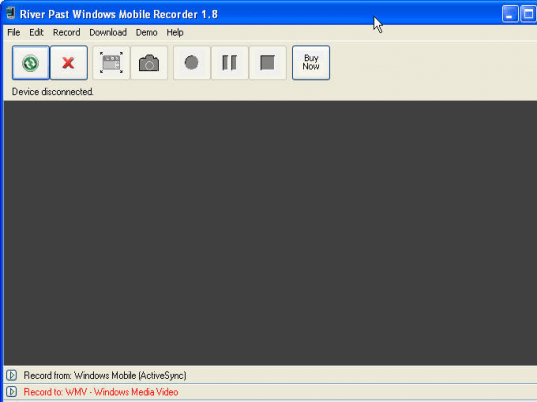
River Past Windows Mobile Recorder 1.0.1 enables the user to work with ease and have the screen video recorded as required. When the device is connected the program would show the message relating to that. Have the process started and you would be shown the recording going on. You can even have the screenshots captured with the help of the given option on the screen of the program. At the bottom are placed the options to make the selection for the different features. You need to select the device from where the recording would take place. Have the format selected for the output file so that you can play it in the desired player. While selecting the Video Setting you can change the configurations relating to the size, frame rate, etc. If you also want to have the Audio added to the output then you can use the PC microphone for the purpose. Along with it you can have the Audio Settings changed for the quality, bitrate, etc. Have the recording done and use them for the desired purpose.
The River Past Windows Mobile Recorder 1.0.1 is quite convenient to use and does not have any complicated features to confuse its users. 3.5 rating point has been given to the software for the functioning and its ability to attain the desired output while working with your Windows Mobile Phones or PDA.
User comments