


Publisher's description
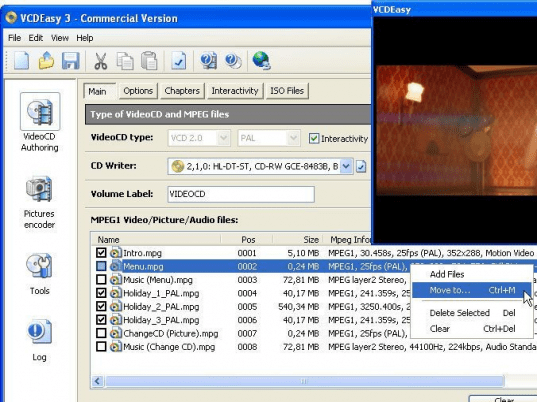
VCDEasy allows you to play/watch your videos (from DV camcorder, DivX, DVD,...), your pictures (from digital camera, scanner,...) and your audio files (music, audio comments,...) directly on most home DVD players without having to buy a DVD Writer and DVD discs. How? VCDEasy allows you to easily build VideoCDs (VCD/SVCD)! A VCD ("Video Compact Disc") is a CD (CD-R or CD-RW, so cheap) that can contain up to 80 minutes video, up to 1980 pictures, up to 6 hours of audio (CD sound quality), or a mix of them. On a VCD, it is also possible to have menus and chapters similiar to DVDs. You can also have simple photo album/slide shows. The same way most of the home DVD player and computers can play Audio CDs, a VCD can be played on almost all standalone DVD players (only a few persons know that!) and of course on all computers with a DVD-ROM or CD-ROM drive with the help of a software player.Invented by Philips, the VCD was born before the DVD. VCD is a cheap way to make DVD-like discs at home. As opposed to a DivX CD, a VCD can be played on almost all home DVD players, i.e watched on a TV. No need to have a computer, no need to configure it to play DivX films... Watching a VideoCD is as simple as watching a DVD! The VideoCD, for example, is a really great solution to share videos and pictures with familly and friends, they only need a DVD Player and a TV!All you need to do is to provide VCDEasy with MPEG files compliant with the VideoCD specifications (an MPEG video encoder is already built into VCDEasy, an MPEG audio only encoder will be included into VCDEasy soon; until then use for example the excellent TMPGEnc encoder to MPEG your videos). 'Novice' users can simply select (VideoCD ready) MPEG files and click the 'go' button, while 'advanced' users can configure/use almost all aspects of the VideoCD specifications (PlayBack Control based interactivity, Chapters, Menus support, CD-i support...).
User comments