


Editor's review
While explaining your application’s functions, the best way of supporting your existing or potential customers is by creating and adding video tutorials with help files and product websites. But, the difficulty comes in creating a software video tutorial as often you don’t get good quality output videos after wasting lots of your time, money and efforts. However, you can try out the assistance of an expertise screen capturing support tool that would aid you in recording your screen activity into high quality video presentations or tutorials. Such an adept tool that you can count on is ScreenPressor 1.1, which is a video codec especially designed for carrying out screen capturing task giving away 100% quality video output. It aids you in capturing your PC screen with good visual quality to let you explain your program’s functioning with much clarity. The utility captures video files smaller than even MPEG4 codecs such as XviD or DivX while maintaining perfect visual quality.
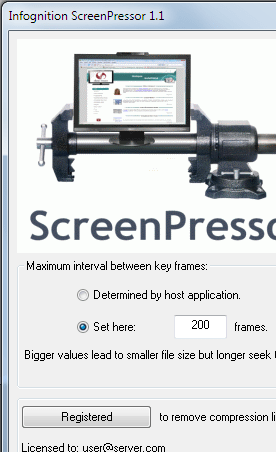
Using the ScreenPressor 1.1 one can effectively be used with different screen capture applications such as CamStudio, Camtasia, and HyperCam. For example, if you’re using Camtasia application, you simply would have to make some selections for associating ScreenPressor video codec with it. Access the Tools option in menu-bar and click Options. Now, select Save as .avi with Capture tab, and move onto Video tab. Here, you’ve to choose Manual video configuration and click Video Compression to set ScreenPressor as your default compressor. Select ‘Configure’ to set the maximum interval between key frames and press Ok. Now, the ScreenPressor video codec are all set to work with the screen capturing application to help you derive quality video output with good visual clarity rate.
With ScreenPressor 1.1 associated with your screen capturing application, you can look forward to receive the resulting video with high visual quality. Owing to its effectual functionality and easy installation, ScreenPressor is assigned with 3.5 rating points.
User comments