

Free Downloads Center
e.g. FlashFXP 4.0.0.1523 Editor review

Latest Reviews

CoffeeCup InstaWeb

CoffeeCup InstaWeb
CoffeeCup InstaWeb is an amazing program to instantly create personal or professional photos Websites with minimum efforts.

PDF Converter Pro

PDF Converter Pro
With high speed and quality convert various types of file formats to PDF files format with, PDF Converter Pro.

Subscribe

FlashFXP 4.0.0.1523

Editor's rating   FlashFXP screenshot

enlarge screenshot

Users' rating   (10 votes) Rate it!
License Shareware / $29.95
Downloads this week 130
Publisher OpenSight Software, LLC
File size 3386K
Date added 5-Jan-2011
Publisher's description
Editor's review
Submit your review

Reviewer, 2011-02-14 13:35:00

This is a FTP client in Windows environment that can handle secure transfers.

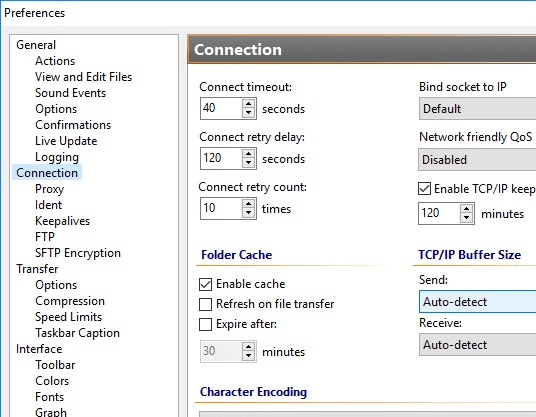
FlashFXP is a FTP client for windows. The tool also supports secure transfers in the form of SFTP (Secure Shell/SSH), FTPS (Secure Socket Layer (SSL) over FTP) and seamless one time password support. FlashFXP makes publishing and maintaining websites quite easy by helping with the upload and download of files, such as documents, photos, videos, music and so on. You are able to transfer or backup local and remote files and do FXP server to server ftp transfers. That can be useful in keeping servers synchronized quite easily. Other useful features include multi-firewall and proxy support, speed limiting, server file searching, remote editing with automatic (or manual) uploading, automated transfer scheduling with email notifications, priority transfer lists, extensive file transfer rules, user customizable interface and so on. On the fly compression can speed up your transfers. The interface can be customized in any one of some 20 language options available.

The tool should be easy to use for even novice users. The layout is on the lines of the familiar Windows explorer. One of the windows shows the file arrangements on the server you are downloading from. On the receiving window, you are able to monitor detailed files available, the log window shows you the actual progress of the file transfers. The client can choose binary or ASCII mode automatically. Drag & drop of files is available. Transfers are automatically resumed if interrupted for any reason. Features that enhance the usability of the tool for webmasters include easy file management, remote editing and setting/changing of file permissions recursively.

Visit homepage of FlashFXP

Download FlashFXP 4.0.0.1523

Software related to FlashFXP

Copyright © 2001-2008, Free Downloads Center.