


Publisher's description
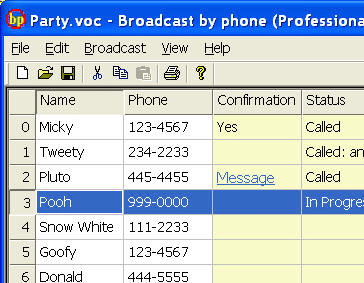
PC to Phone Auto Dialer Telephone Voice Recording Broadcast. Ideal for group event reminders, marketing, political campaign promotion, events notification, marketing, telemarketing, lead generation, and much more. Spreadsheet interface makes it easy to create or import phone list. Simply record your message in an audio file, use the built-in calendar to set a call time. Remote access capability. The program will make all the phone calls one by one like a robot and call status will be displayed while the call is made. In professional version, the software has text to speech engine, and message designer enabling play different and personal messages for human pick up vs. answering machine. Human recipient can have interactive response with the software for RSVP. Many other features include message replay over the phone by voice command, personalized message to each call number using text to speech and voice recognition technology, playing messages only for human or only for answering machine, retry when call fails or line busy, schedule for multiple call lists in advance using built-in calendar, do-not-call check list, dial internal extension, outside line, international number, plus many more. Check out Voicent website. Very easy to download, install and use. Just one click on the download and the installation will follow. Click on BroadcastByPhone icon installed on your computer, enter call list or import existing phone list and click on Start call on broadcast pull down menu. If you haven not prepared your voice message, check out Quick Start Guide on how to record your voice messages. Make sure to connect your modem to a working phone line. Minimal hardware requirement are a PC running Windows XP or 2000, a voice modem and a good sound card so the message played over the phone does not sound muffled. The software can work with either regular phone line or Voice over IP.
User comments