


Editor's review
Flash and Media Capture is a Windows plug-in application for MS Internet Explorer. It adds a nice toolbar that allows you to save all images and Flash applets from a page to the folder you want.
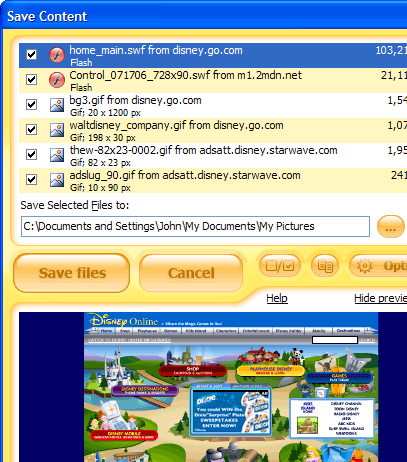
Features: Flash and Media Capture is a Internet Explorer plug-in. With this plug-in installed you get a simple toolbar added to the browser. This toolbar helps you capture images and flash applets from websites you visit. Collected items get stored in the folder you specify. That provides a simple way of collecting photographs, images on your disk from online photo albums, image forums and wallpaper sites. Images get saved automatically. If you want you could set a size filter so that photos above a certain size only will get stored. Flash items can be collected too. When visiting a photo gallery, for example, you decide to store all the photographs that you see. For storing the FLV items in YouTube, Myspace, Google or other locations you simply click on the toolbar ( flash and media capture button) to auto-save after all the videos have loaded on the page you are visiting. If you want to save items selectively that is possible too. Select the items you want to collect on the dialog box. You can also preview and select items you want. The collection can enable you to share things with friends and family. You can also decide to have the photo and video/media collection moved to your iPhone, iPod, mobile phone or a DVD player! The necessary conversion from FLV to other formats is supported on the application.
Overall: Nifty little application that can help you create a collection of photos and media files quite easily. However, please do remember the copyright information. While using these items for one`s personal viewing pleasure or copying for moving to other appliances you hold is all covered under fair use, distributing them to others may not be.
User comments