


Editor's review
Would you like to know how much time and money you spend while surfing the net? That appears an easy task to do, especially with loads of tools developed specifically for this purpose available. But do not be mislead by the seemingly simple task as real life does influence the online one. For example, you've signed up with a freaky ISP which has different rates for every hour of the day, or you prefer to use one ISP during work hours, another one in the evenings and yet another one at weekends. Your tool allows you to set daily and nightly cost only, so that's that. Now you can have all the services in one program with Internet Usage Monitor.
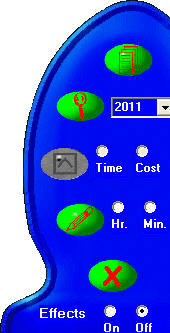
Internet Usage Monitor is a small program that counts the time you spend online as well as calculates the cost of it. Once you install the program and set the cost of access to the net in the options window, the tool will take care of everything else. You can set different rates for every day of the week and the cost of the initial call.
You can set up reminders to tell you it's time to go offline or let the program speak total time and cost after you've gone offline. When online, the program's icon in the system tray is a basic smiley face. To learn how much you've already spent without going offline, you can move the mouse over the icon and the information will be displayed in the popup message. Download this free tool today and learn how much you spend!
Internet Usage Monitor is a small program that counts the time you spend online as well as calculates the cost of it. Once you install the program and set the cost of access to the net in the options window, the tool will take care of everything else. You can set different rates for every day of the week and the cost of the initial call.
You can set up reminders to tell you it's time to go offline or let the program speak total time and cost after you've gone offline. When online, the program's icon in the system tray is a basic smiley face. To learn how much you've already spent without going offline, you can move the mouse over the icon and the information will be displayed in the popup message. Download this free tool today and learn how much you spend!
User comments