


Publisher's description
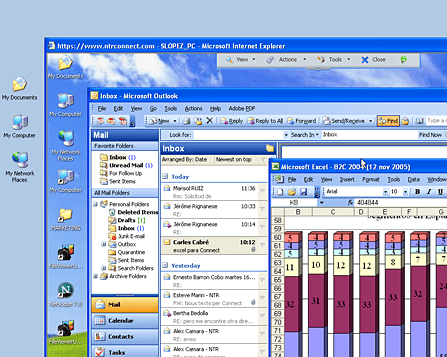
Secure remote access to your PC or Mac at anytime from any computer NTRconnect is available in Free and Pro versions. NTRconnect Free offers access to e-mail, files and folders on up to two computers. NTRconnect Pro is a complete remote access solution for taking full control of any remote computer and transferring files easily between your local and remote computers. Main features of NTRconnect Pro: file transfer, high-speed connection via NTRconnect platform, technical support from NTRglobal, advanced keycard security, Wake-on-LAN and keyboard, mouse and screen blocking. Work from home and avoid unnecessary trips; you never have to go to the office to access the e-mail and files on your work computer. Keep in touch: answer e-mails, attend your customers and colleagues at any time. Access your intranet whenever you need to. You can access your corporate intranet as if you were working right in front of your office PC. The ideal tool for executives and sales reps; designed for professionals who need to access their computer when they are on business trips or just out of the office. The data security is completely guaranteed with all communication encrypted using the Rijndael 256-bit algorithm. You can further enhance security by using key cards, authenticated user sessions and a wide range of features designed to guarantee corporate-level security. How does it work? First, access the NTRconnect website and enter your username and password. Second, select the computer you wish to control (you can select any of the computers you have access to from the Control Panel). Third, access the remote computer selected; the desktop of the remote computer will appear in a new window. From there, you can access all your files and programs. NTRconnect works with Skype™. Share your desktop with your contacts by sending them a link via a Skype™ message. Download a free trial version of NTRconnect and access your PC or Mac immediately!
User comments