
Free Downloads Center
e.g. Remote Desktop Control 2.5.0.23

Latest Reviews

MPSuperShape

MPSuperShape
MPSuperShape is an excellent add-in for Microsoft MapPoint that allows you to combine and intersect shapes.

WinStart Manager

WinStart Manager
WinStart Manager, the advanced tool that gives a complete view of all the programs and applications launching at the Windows startup.

Subscribe

Remote Desktop Control 2.5.0.23 Download

Editor's rating  
Users' rating   (10 votes) Rate it!
License Shareware / $25
Downloads 16676
Publisher AQUATRA
File size 3290K
Date added 22-Jul-2009
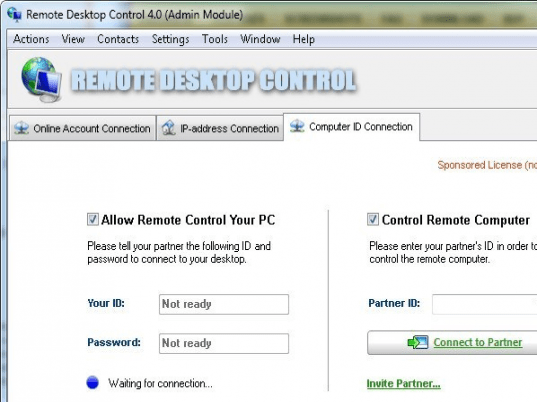
Remote Desktop Control screenshot

Enlarge screenshot

Publisher's description
Editor's review
Users' reviews (2)
Submit your review

Computer and home networks are becoming more and more popular. Every grown-up has a laptop, children have game computers; computer-based media-centers are also becoming a common thing. Some advanced users go even further: old jokes about married couples that communicate over e-mail or instant messengers have become a reality :)

Moving from one PC to another takes too much time and distracts from the main objective. Also please note that your favorite and the most ergonomic and smooth mouse in the world, as well as the most modern and multi-functional multimedia keyboard are connected only to one computer. In light of this, using any other computer can make you feel uncomfortable and uneasy. That is why working with other computers without leaving your own favorite chair and tuned PC makes a lot of sense. It becomes even more reasonable when the remote PC you need to manage is located on other floor, or in another building or even in another country.

We often need to install software on several computers. For example, you might install the latest antivirus utility or database on your laptop, your wife's laptop and your child's games computer...oh (I almost forgot!) and to the family media-center in the living room. What would you suggest in such situation? Copy the software to a diskette and go to every machine? It is so tiresome and boring, besides, I don't recall my wife's laptop even has a disk drive!

The modern solution looks like this: from your PC you connect to other computers using Remote Desktop Control software. You can connect to one computer at a time or simultaneously connect to all of them. Simply run the installation file in every machine, and that's all! You won't even have to leave your cozy chair :)

Editor review: Daily Reviews Team, 2006-04-24 01:10:10

    Remote Desktop Control is a remote automation utility that will allow you to access any PC from any remote computer.
    Distance will no longer matter you for accessing your PC. This program that is specifically designed to allow you to control any computer will allow you to work on any computer remotely. This tool allows the user to remotely control any computer, running under the Microsoft Windows system in a TCP/IP network or the Internet. A remote desktop is displayed on the user’s screen which can also be controlled with your mouse and keyboard. The tool is enhanced with multiple features such as; supporting multiple connections simultaneously, view only and full control are the different work modes, display modes are windowed, full screen, and scaled, perform operations like remote shutdown, reboot, logoff and much more.
    Above all the features the tool is supported with strong security and encryption features to prevent any unauthorized access of your system.

Visit homepage of Remote Desktop Control

Download Remote Desktop Control 2.5.0.23


just married
remote any thing
remote install
media desktop
sync laptop
all in one messengers
audio media center
spy remote computer
how to connect two computers
copy control

Programs related to Remote Desktop Control

Copyright © 2001-2009, Free Downloads Center.