


Editor's review
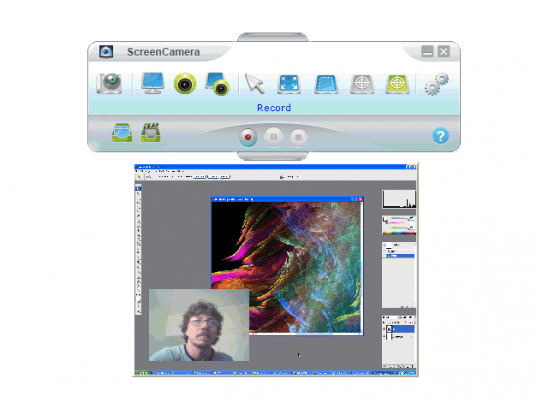
Stream your desktop screen along with your webcam on free video chatting programs and websites including: Live Messenger, Skype, MSN Messenger, Yahoo, PalTalk, Camfrog, AOL, AIM, Stickam, etc... Plus split your webcam on multiple applications.
Features: ScreenCamera application lets you stream the desktop screen as a video. You can transmit this video through instant messenger channels. This can be done simultaneously with an actual webcam as well on the live video chat sessions. More than one application can simultaneously use the ScreenCamera application. It can then work with a whole set of IM and Cam chat sites. These include sites/services like MSN Messenger, Yahoo Messenger, Skype, AOL, Live Messenger, PalPalk, Camfrog, AIM, Stickam, AnyWebcam, or any other video conferencing program or website. Possible uses are many. It can be a very cost-effective way of providing technical support to your customers. It would be a nice way of sharing a document or demonstrating a software application or even online training session. At a personal level one could use this to share photos and videos. Since both the webcam video and the screen shots are being streamed at the same time it provides an added dimension to chat sessions.
It is possible to get the webcam inputs into more than one application simultaneously by creating a virtual webcam. The inputs can be directed to more than one application at the same time overcoming the Windows limitation. You could manipulate the two streams independently by doing sizing, positioning and change of settings even as the videos are playing.
Overall: A nice combination of services is offered by the application. It is really easy to use.
User comments