
Free Downloads Center
e.g. HTML Snapshot 2.1.2009.1101

Latest Reviews

Spryka ePostMailer

Spryka ePostMailer
Spryka ePostMailer is a highly effective and free to use mass email marketing program and bulk email sender.

Multiformat File Searcher

Multiformat File Searcher
Multiformat File Searcher, will simplify and allows you to get control over your text search job within any document.

Subscribe

HTML Snapshot 2.1.2009.1101 Download

Editor's rating  
Users' rating   (4 votes) Rate it!
License Shareware / $149.95
Downloads 7158
Publisher Guangming Software
File size 2048K
Date added 7-Nov-2009
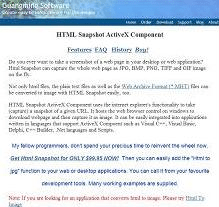
HTML Snapshot screenshot

Enlarge screenshot

Publisher's description
Editor's review
Submit your review

HTML Snapshot ActiveX Component can take (capture) a whole snapshot of a given URL. It downloads web page and then capture it as image. It can be easily integrated into applications written in languages that support ActiveX Component such as Visual C++, Visual Basic, Delphi, C++ Builder, .Net languages, Java, Scripts like Perl, Php, Python.
Features:
Directly save the web page at a given URL into image in bmp, jpeg, tiff, gif or png format. (i.e. html to image, html to jpg, html to image, html to tiff, html to png etc)
Directly convert html string to images.
Directly convert MHT web archive to image in bmp, jpeg, tiff, gif or png format
Support saving the whole html page to image without scrollbars.
Create thumbnail images from large images.
Get links, title, cookie or html source of a page
Get the html document DOM interface
Make gray or black and white images
Reduce color number in images while keeping better quality.
Support compressing images into jpg, tiff, gif or png in memory without temporary files created.
Support JPEG compression level and TIFF compression method selection
Convert vector graphics WMF, EMF, SVG and VML to bmp, jpg, jpeg, tiff, gif or png
Convert html to vector image format like EMF and WMF
Convert html to transparent GIF
Convert html to image with an existing webbrowser control
Automatically clip the image by removing white area in the html generated image
Rich examples in VC, Delphi, VB, VB.Net, C#, ASP, ASP.Net, PHP, Perl, Python, Cold Fusion, PowerBuilder, FoxPro, Windev, VB and Java script as well as Java and Ruby are provided.
Small footprint (less than 300k) for web application
Support Windows Vista and IE7 now
Convert html to text
Support Windows X64 edition (under x64 window)
Draw text watermark after converting html to image
Support http authentication
Support converting html to multiple page TIFF
Support smoothing
Support proxy
Support windows 7 and IE8

Editor review: Daily Reviews Team, 2006-08-28 01:10:10

    Get the power to capture the whole web page as JPG, BMP, PNG, TIFF, and GIF format instantly with HTML Snapshot.
    This easiest and fastest tool can be used to take screen captures or snap shots of a given URL. This tool will instantly download and parse the websites. Further, it will save a screenshot of the webpage in JPG, JPEG, BMP, PNG, TIFF, WMF, EMF and GIF format. The tool also provides the option to capture the entire page or a thumbnail image of a specified size that can be saved to a local folder. This user friendly tool can be easily integrated into applications. The tool can directly convert html string to images. It also supports to save the whole html page to image without scrollbar. Easily get links, title, cookies or html source of a page. Also make gray or black and white images, reduce color number in images maintaining its quality and much more.
    This tool is written in languages supporting ActiveX control such as Visual C++, Visual Basic, Delphi, C++ Builder and .Net languages.

Visit homepage of HTML Snapshot

Download HTML Snapshot 2.1.2009.1101


mht files
make an image url
svg to png
convert jpeg into html
jpg to vector format
convert to wmf
convert eps to tiff
convert wmv to bmp
convert gif to 3g2
web page to jpg

Programs related to HTML Snapshot

Copyright © 2001-2009, Free Downloads Center.